
All projects
Salesmate — Dealership Operations App
03 / 04

Dealership Operations App

Salesmate is a mobile-first assistant app that streamlines dealership operations

From inventory browsing to test drive management and document handling. Designed to work seamlessly on smartphones, tablets and web browsers, the app empowers sales staff to stay productive on the showroom floor, enhancing both customer service and internal efficiency.

It optimizes the sales process and boosts efficiency, offering all the tools needed for success in the automotive trade. Whether searching vehicle inventories, accessing detailed information, organizing test drives, or signing documents digitally
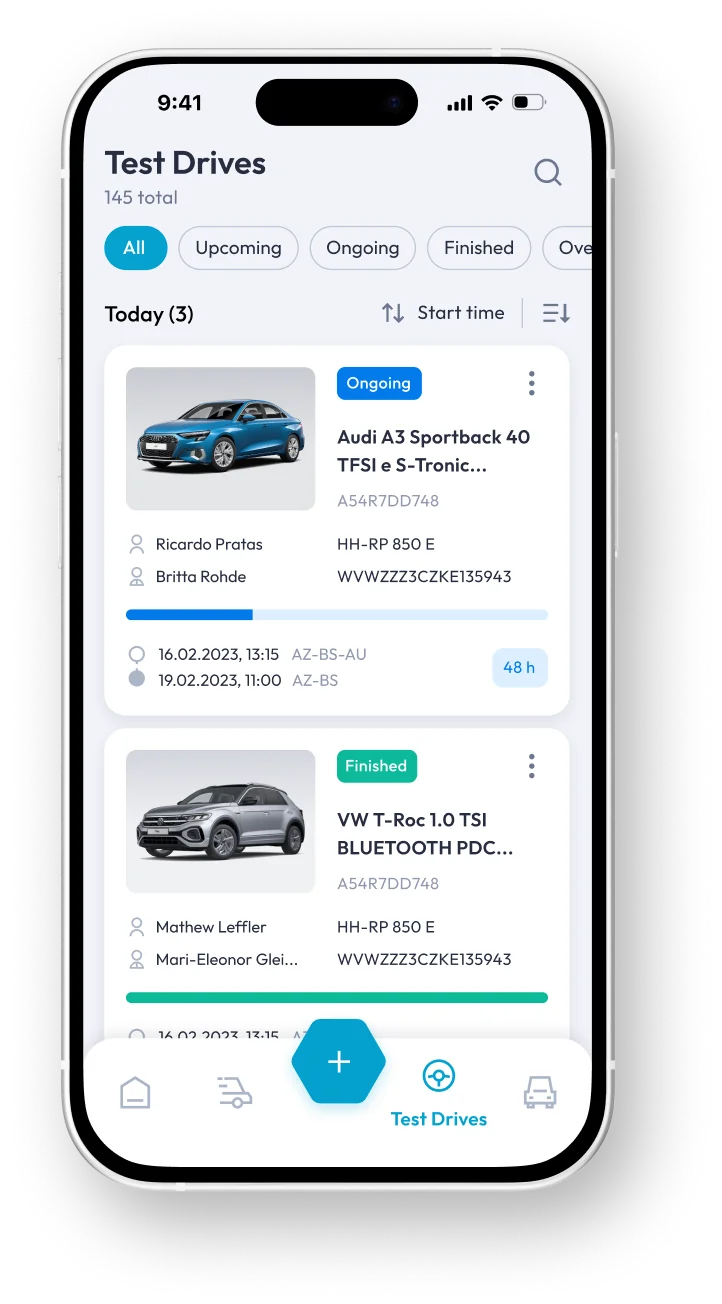
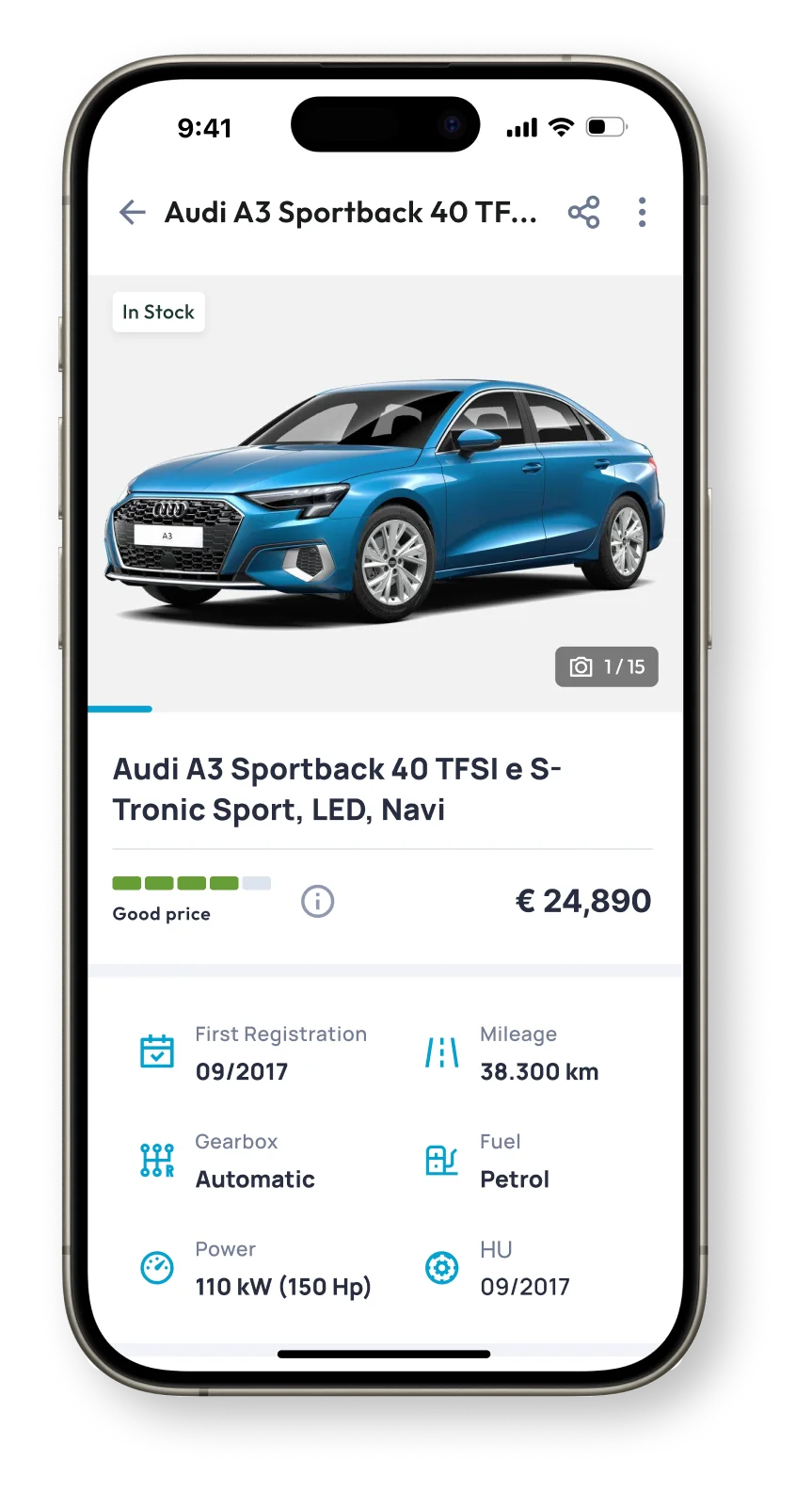
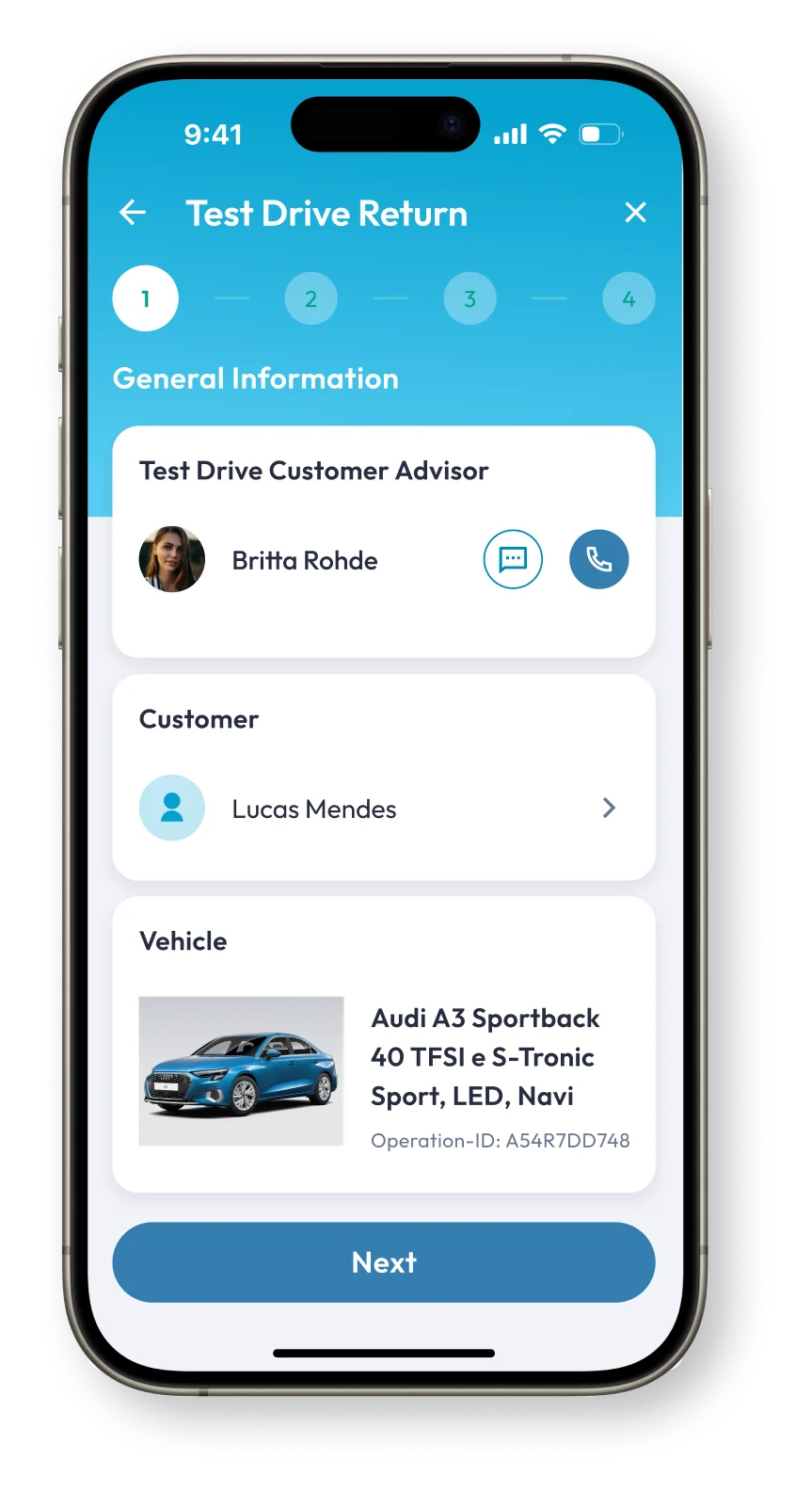
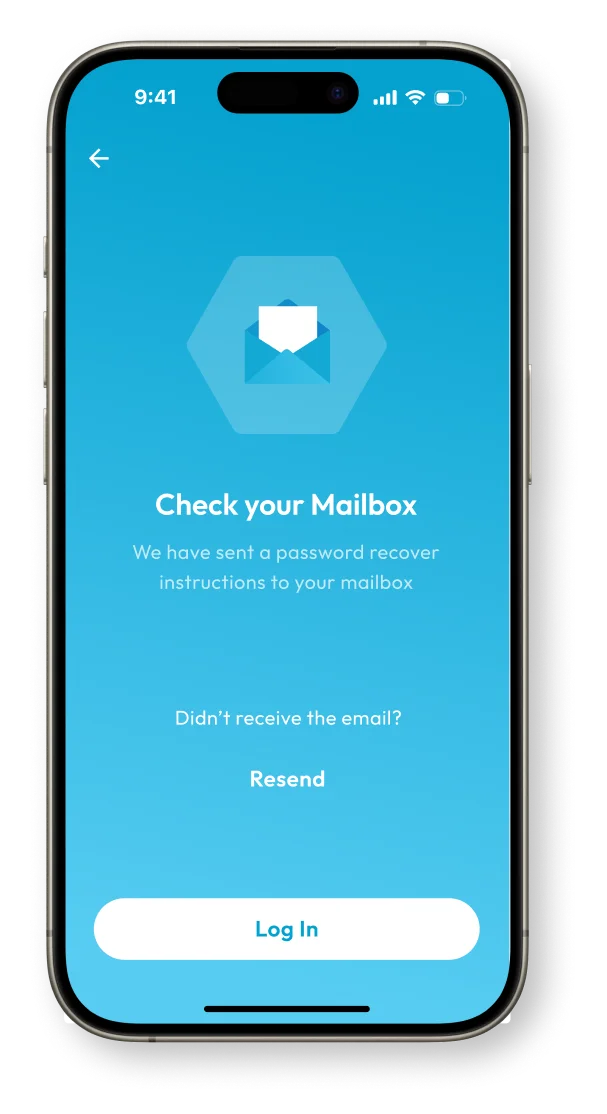
Test drives list screenSalesmate splash screen
Challenge:
Dealership staff often had to juggle multiple tools and paperwork when managing test drives, customer data, and car availability. This slowed down the sales process, created room for errors, and impacted the overall customer experience.
My role:
As the UI/UX designer, I led the whole design process. I defined personas and use cases, built user stories and user flows, wireframes, prototypes and crafted a consistent, intuitive visual interface for mobile and web.
Approach:

Through stakeholder interviews and on-site observations, we identified bottlenecks and pain points in daily dealership operations. I created user personas to represent varying levels of digital literacy, then mapped out user stories, story maps, and task flows for key processes, such as Create New Test Drive and Test Drive Return. High-fidelity wireframes were developed to test structure and navigation, cross-platform capabilities to ensure consistency and performance across devices.

The project was developed in Flutter from the outset and followed a SCRUM methodology with two-week sprints, enabling iterative design, rapid feedback, and close collaboration with the development team.

Result:

The app was successfully implemented across multiple dealerships, consolidating key tasks into one platform.

This reduced paperwork by over 40%, improved the speed of sales operations, and enhanced customer interactions.

Feedback from users was positive, and the app became a valuable tool in modernising the sales process.

Project Overview

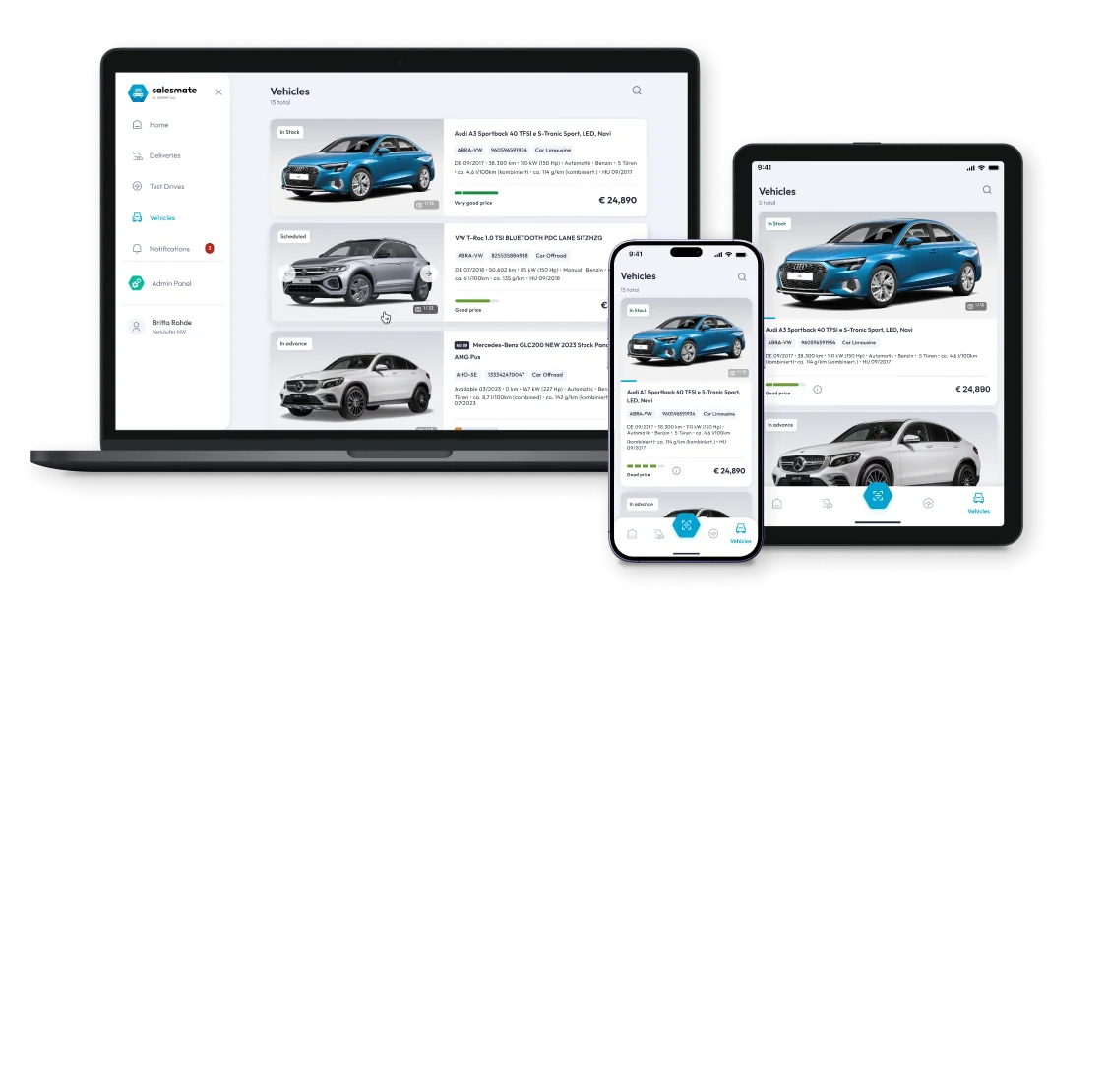
Salesmate on laptop, tablet and phone
The interface was designed for Flutter’s cross-platform framework, ensuring seamless performance and visual consistency across devices. All layouts were created for mobile and adapted for desktop, and tablet, to provide an optimal user experience on any screen size.

User Personas

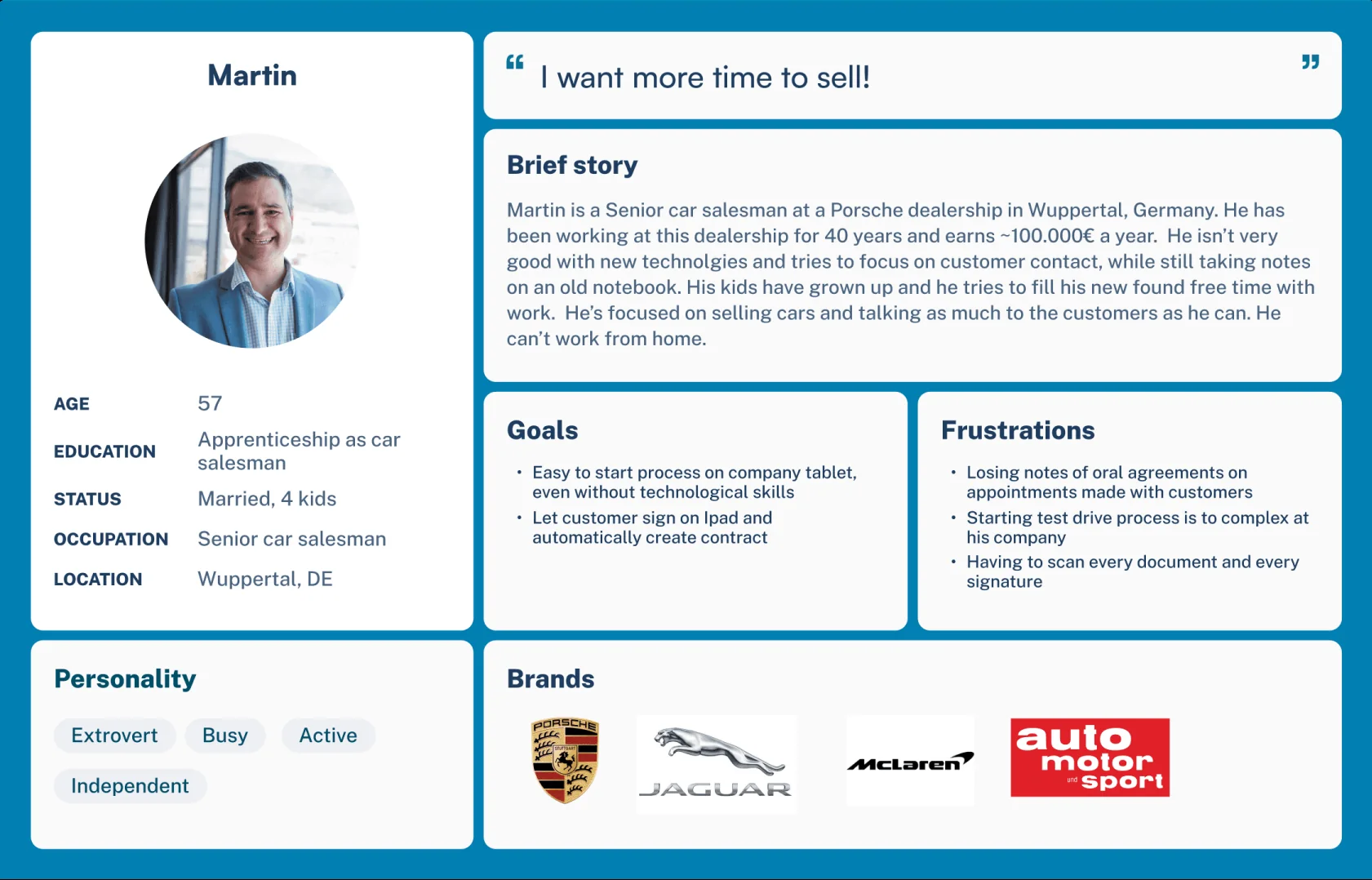
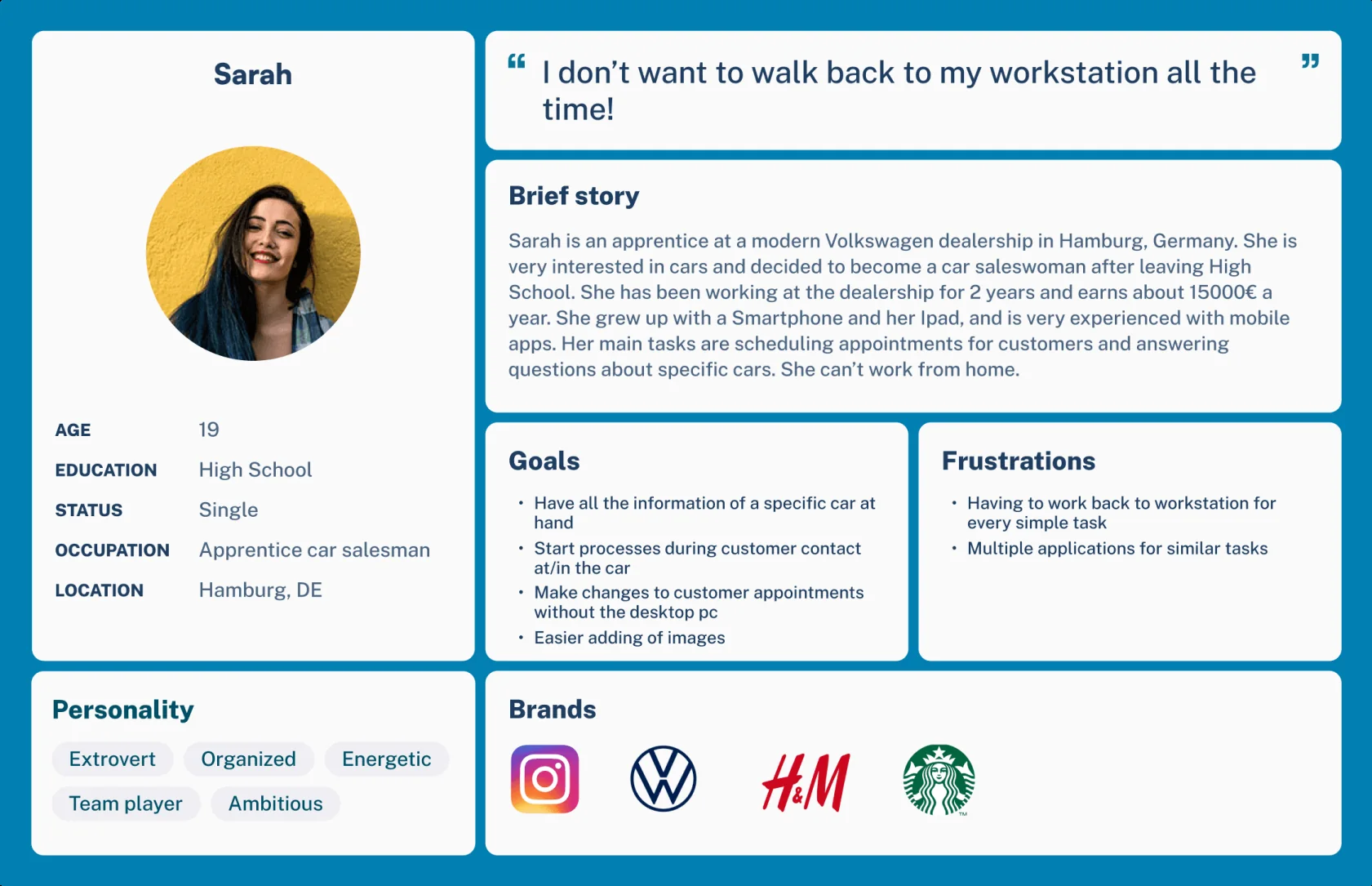
To understand the daily tasks and expectations of car dealership staff, we developed two key personas that reflect different levels of experience and digital literacy.
User persona: Martin, senior car salesmanUser persona: Sarah, apprentice car saleswoman

User Stories

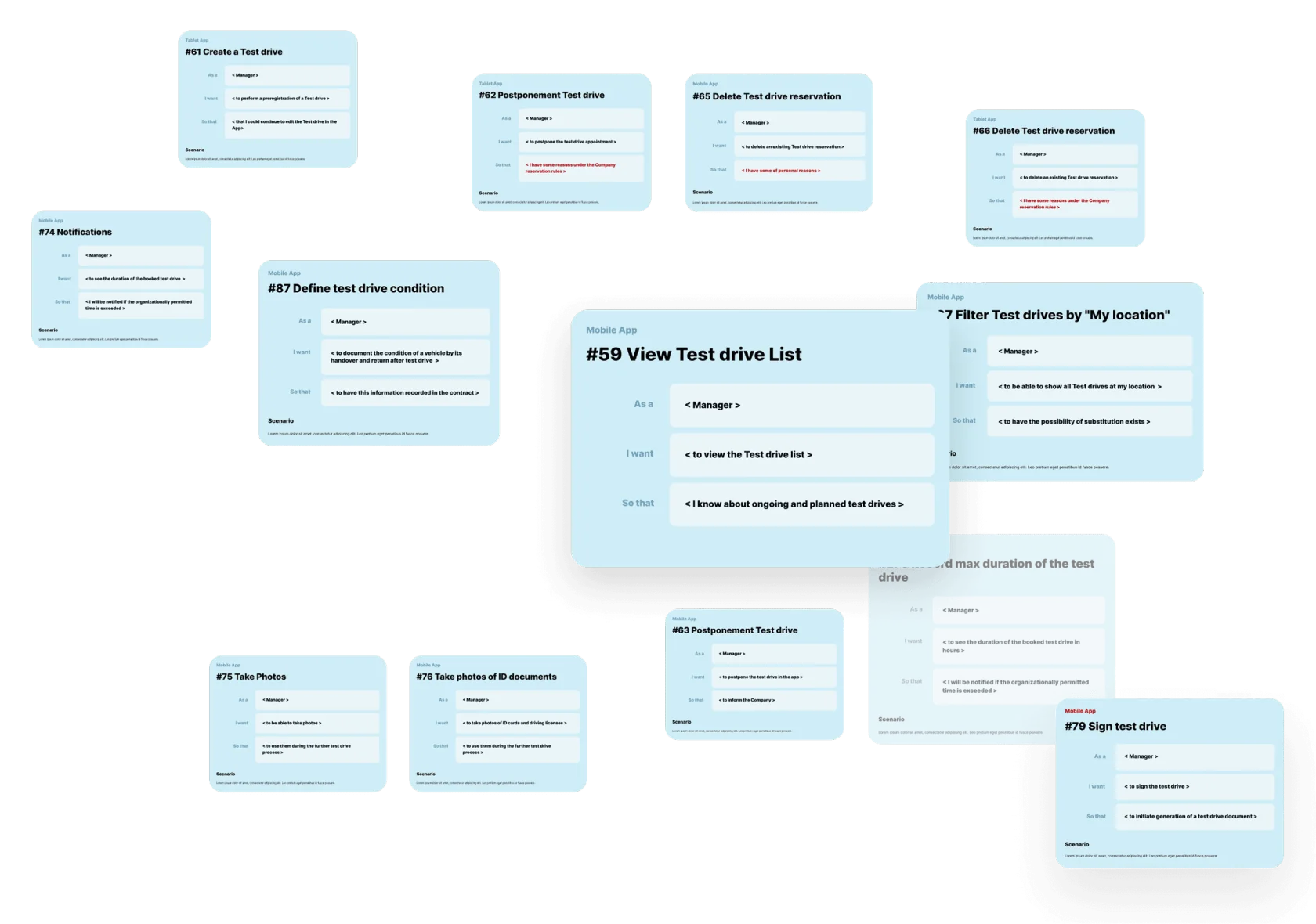
Initially, a large number of user stories were written based on previously conducted user surveys. These stories were later linked to tasks in Jira and used to create a User Story Map.
User stories

User Story Map

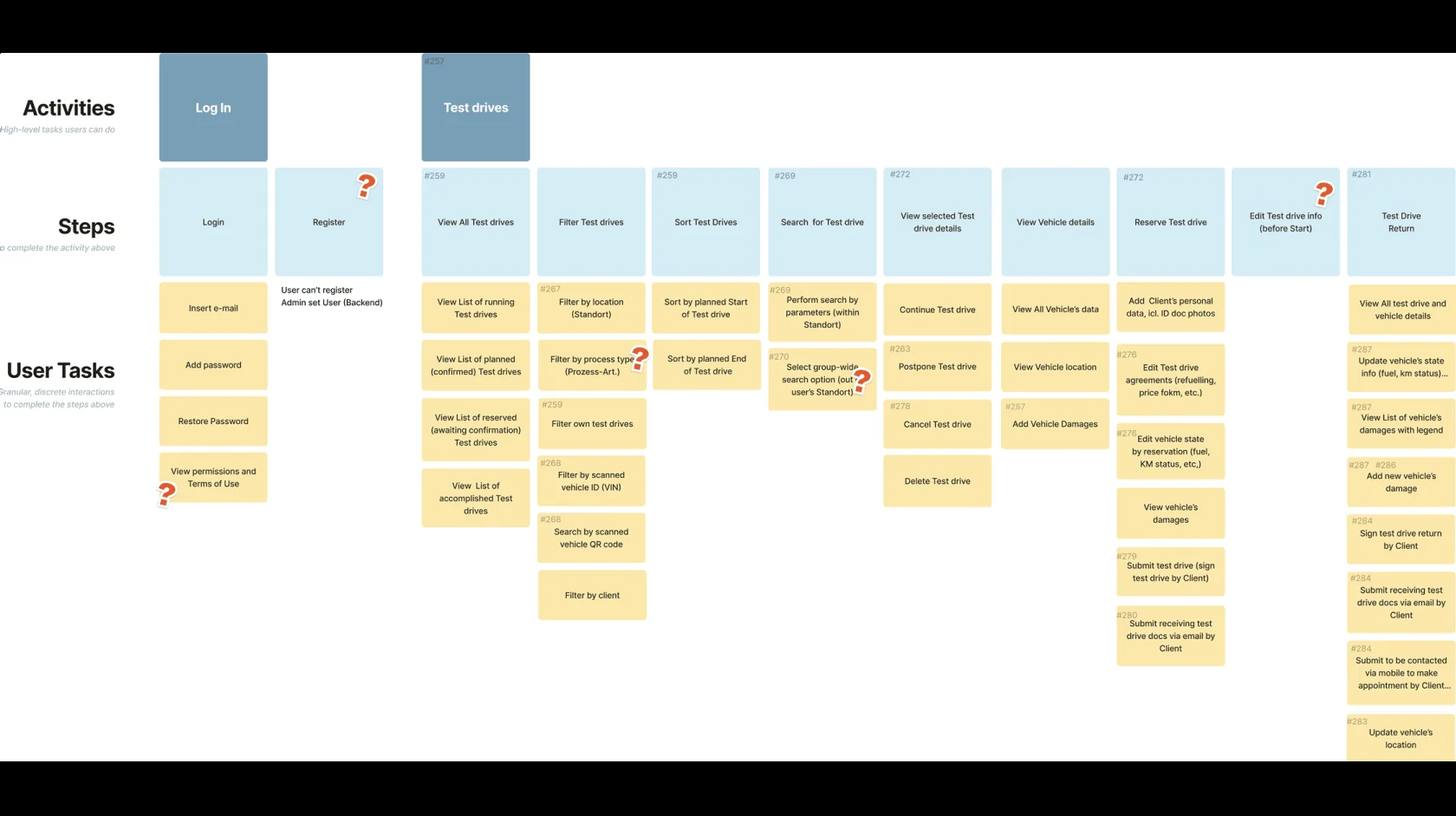
Below is the initial version of the User Story Map, which I created to structure the product around user tasks. It was subsequently revised multiple times to better align features with real user needs and business goals.
User story map

User Task Flow

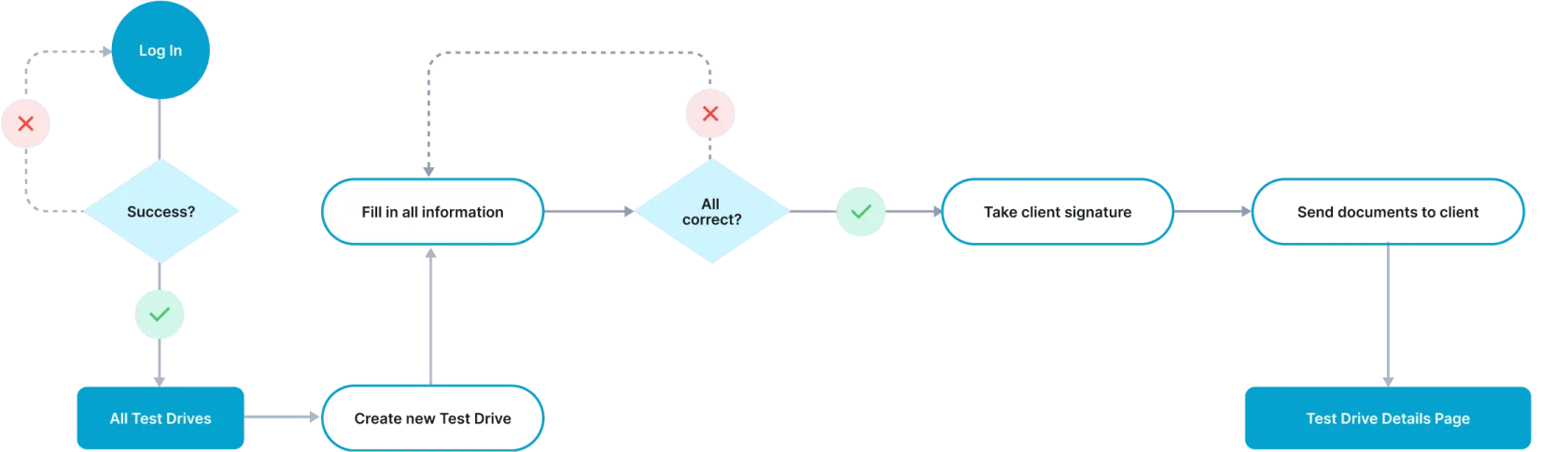
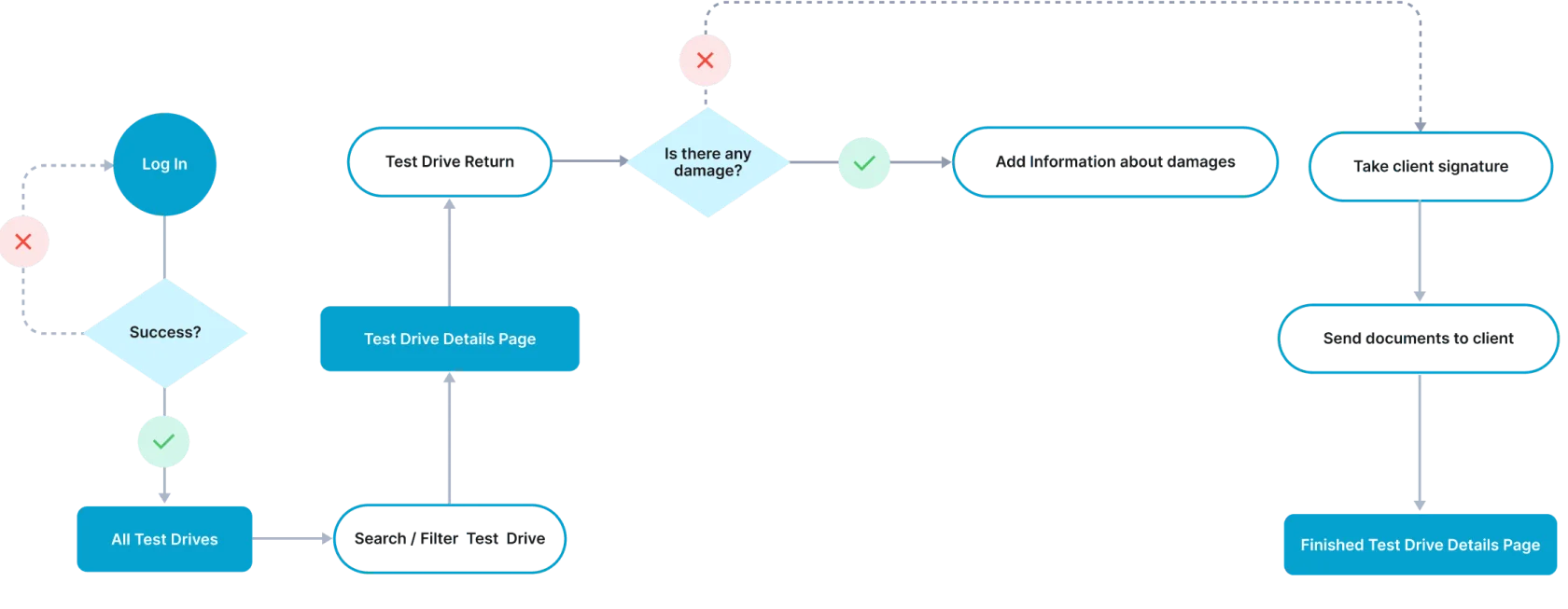
To ensure a smooth and intuitive user experience, I mapped out two essential task flows:
  1. Create New Test Drive
  1. Test Drive Return
These flows visualize the step-by-step processes users follow to complete key actions within the app – scheduling a test drive and managing its return. This helped identify potential friction points and optimize each interaction for efficiency and clarity.
  1. Create New Test Drive
Task flow: create new test drive
  1. Test Drive Return
Task flow: test drive return

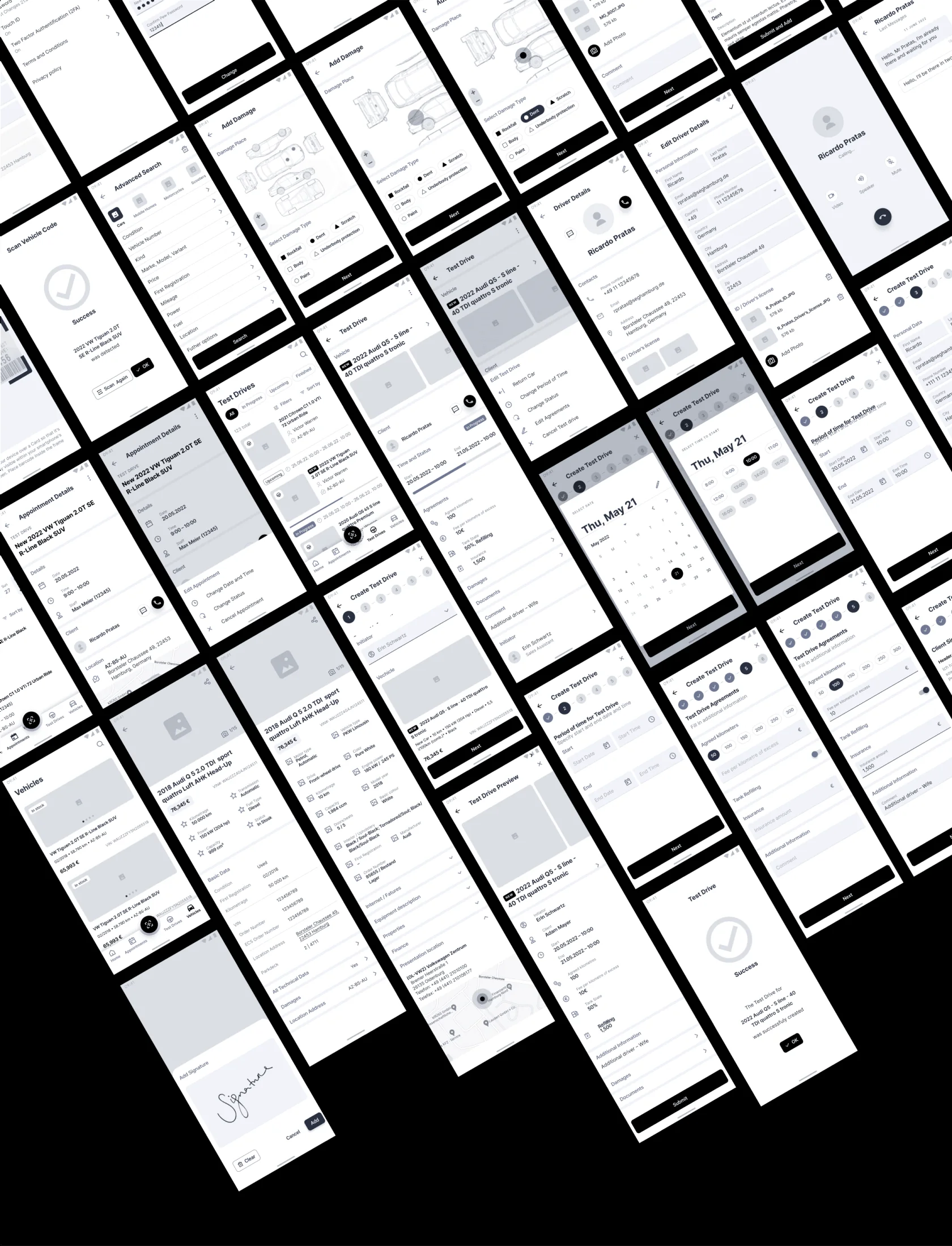
Wireframes

I created detailed wireframes that were later used to develop the first functional prototype, which was tested for functionality.
Wireframes

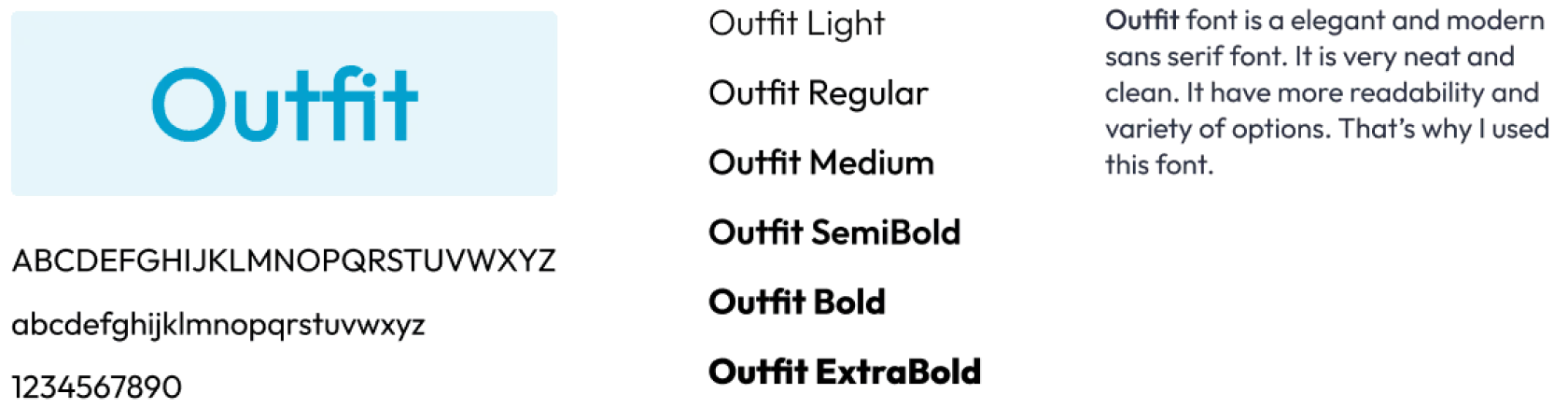
Design

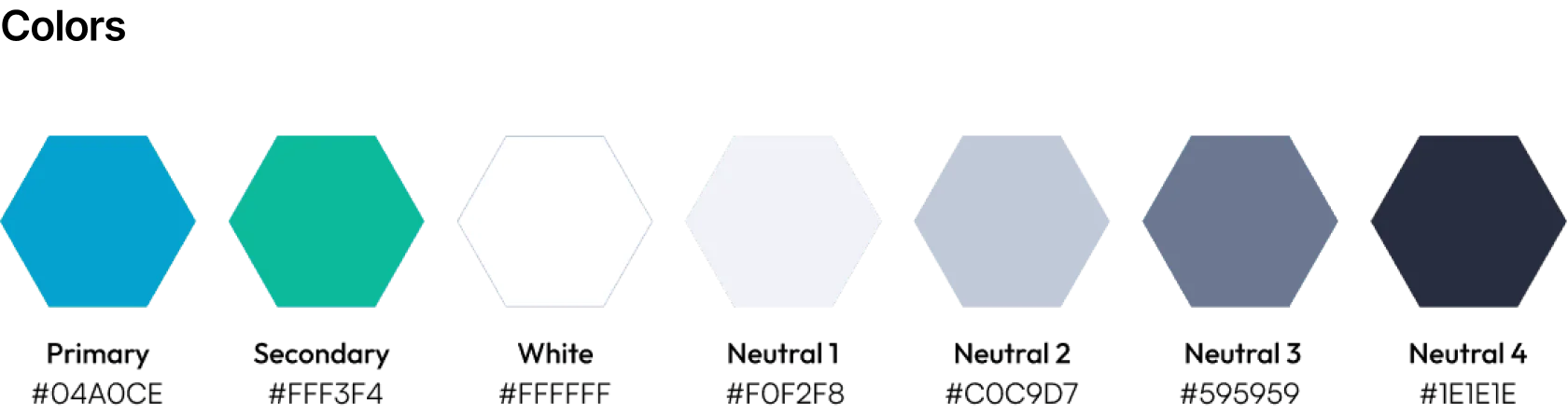
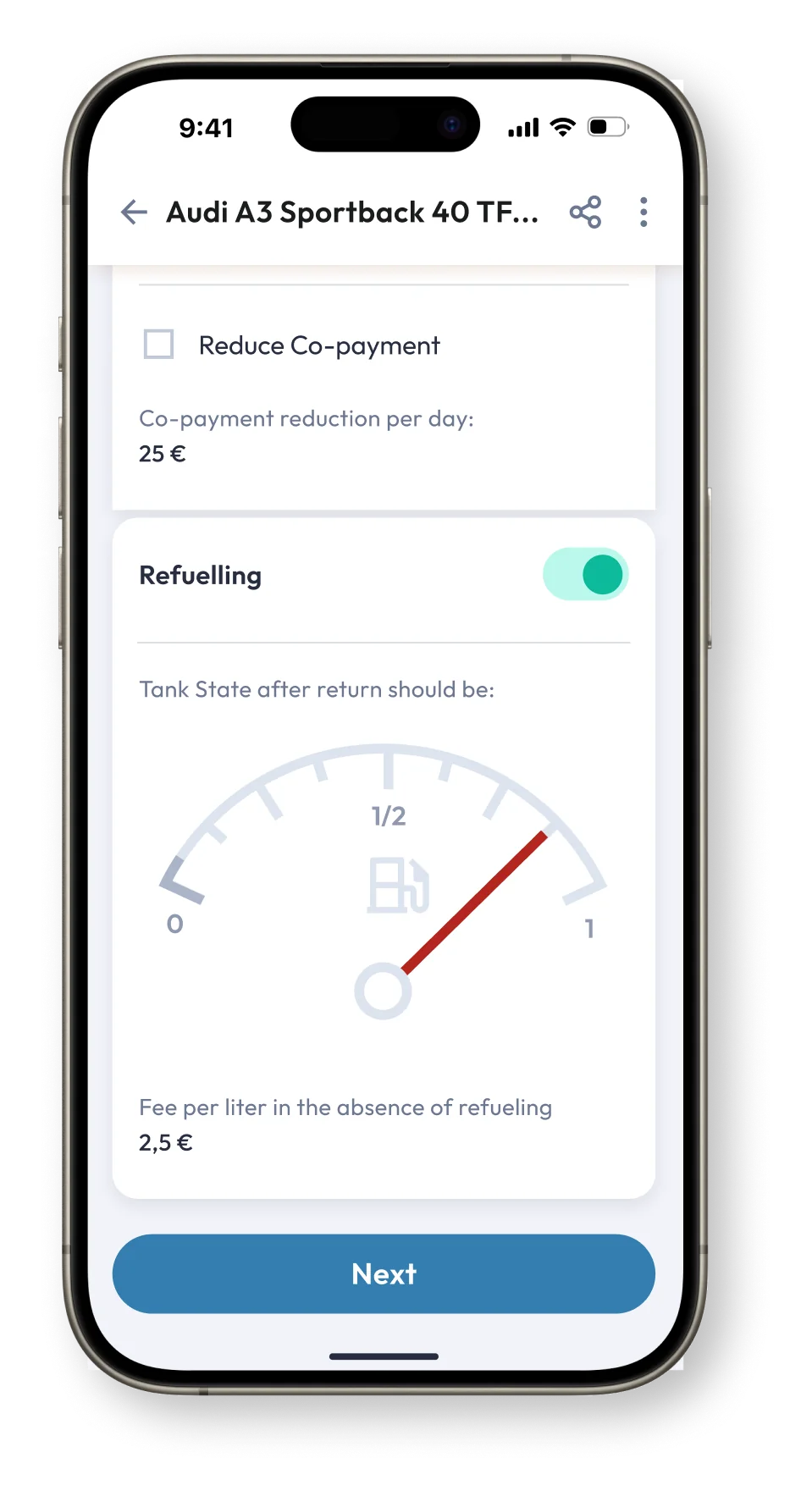
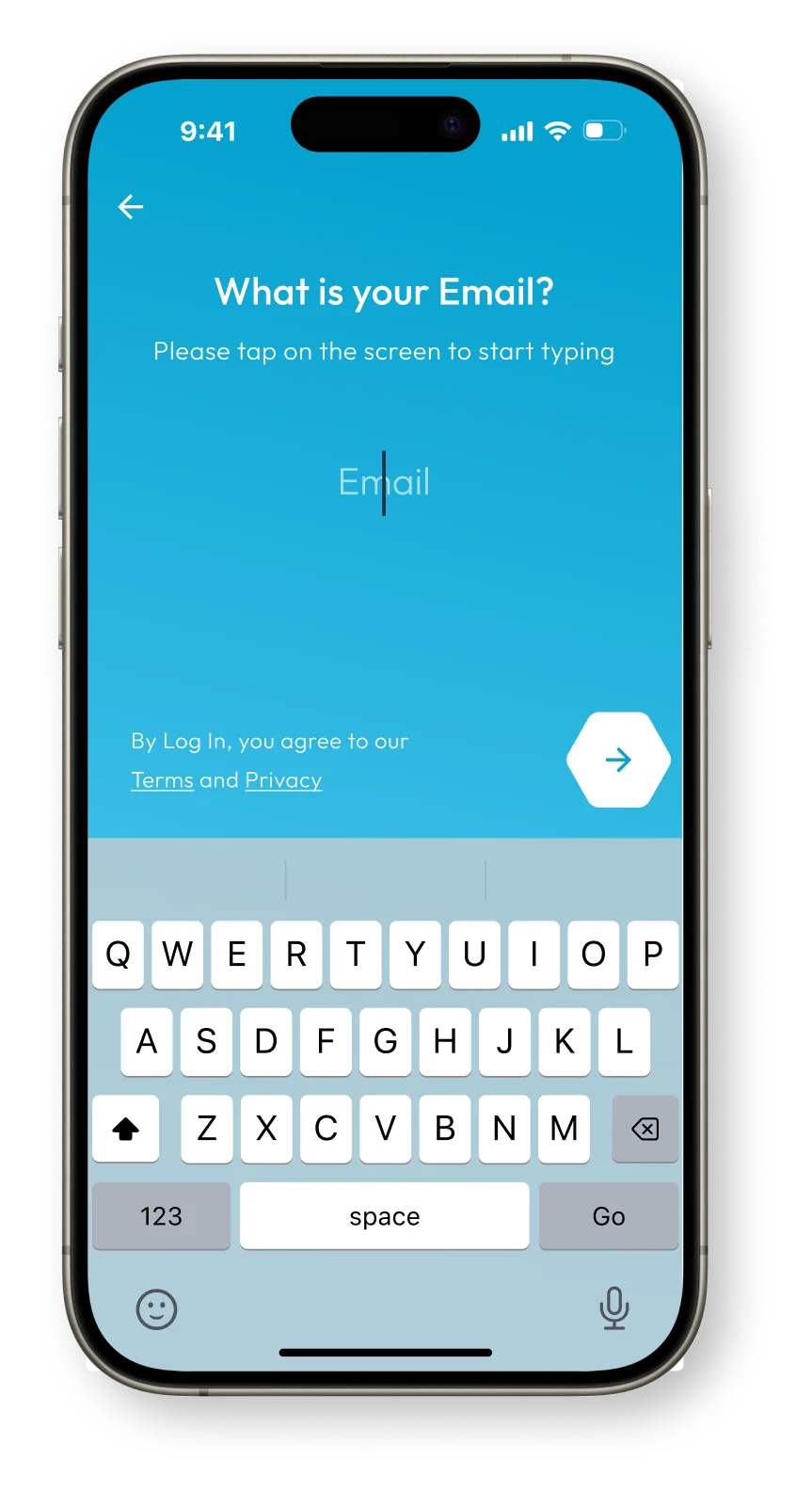
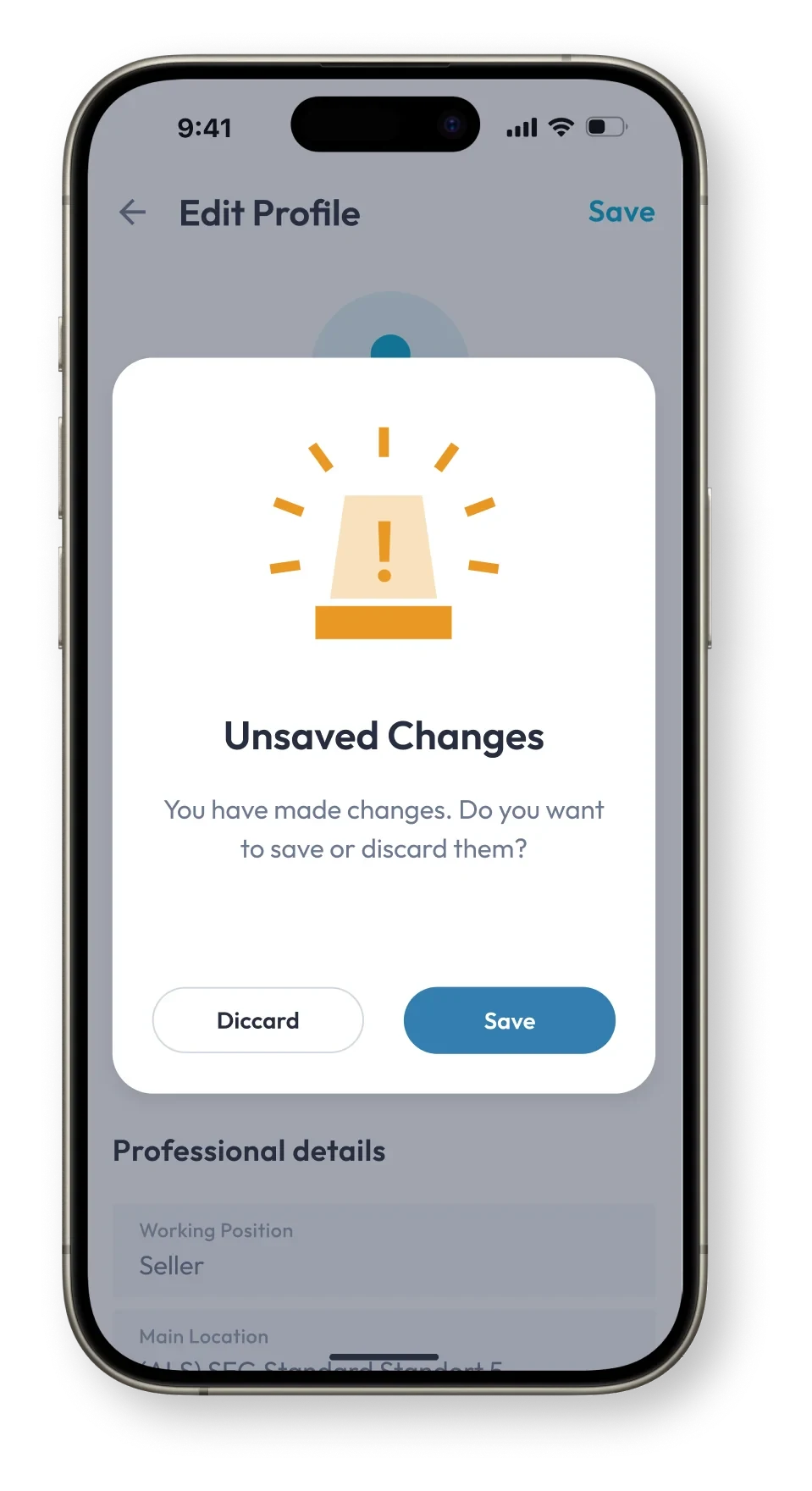
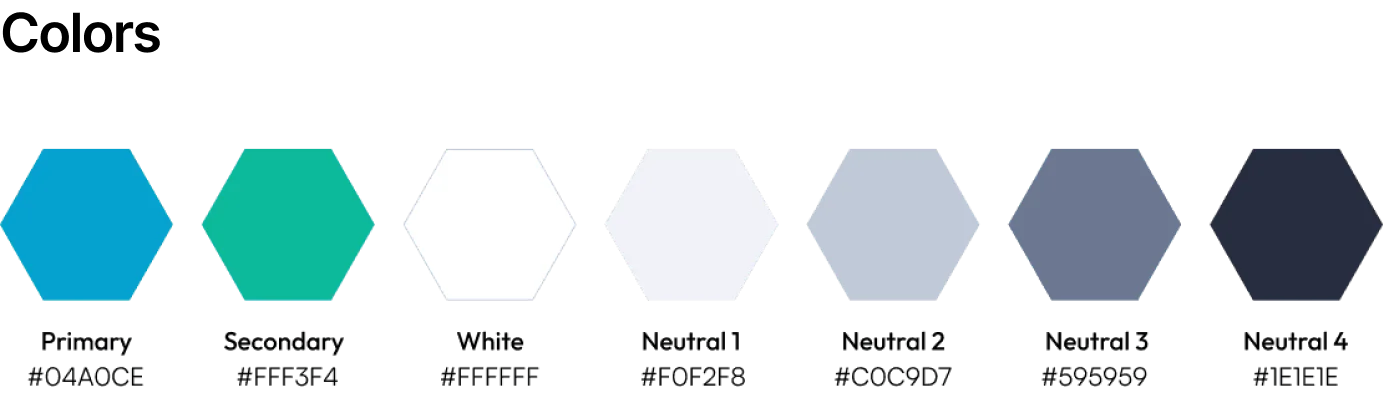
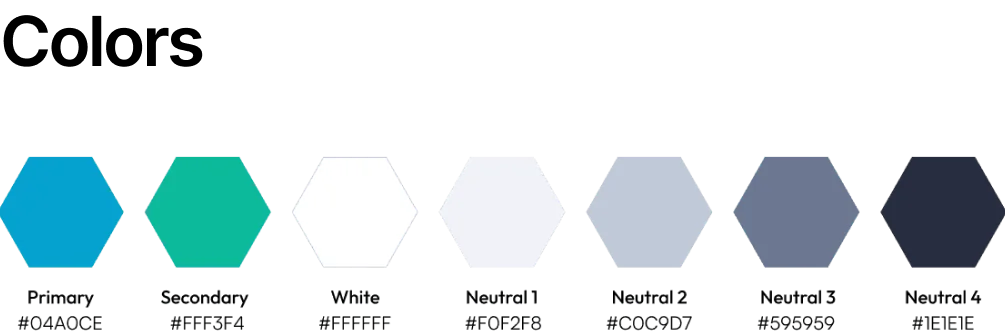
The design system includes scalable UI components, a clear hierarchy, and easily readable content across screen sizes. I kept the look minimal yet professional, using color to guide attention and highlight key actions. I worked closely with developers to ensure designs were implemented smoothly in Flutter.
All projects
Salesmate — Dealership Operations App
03 / 04

Dealership Operations App

Salesmate is a mobile-first assistant app that streamlines dealership operations

From inventory browsing to test drive management and document handling. Designed to work seamlessly on smartphones, tablets and web browsers, the app empowers sales staff to stay productive on the showroom floor, enhancing both customer service and internal efficiency.

It optimizes the sales process and boosts efficiency, offering all the tools needed for success in the automotive trade. Whether searching vehicle inventories, accessing detailed information, organizing test drives, or signing documents digitally

Test drives list screenSalesmate splash screen
Challenge:
Dealership staff often had to juggle multiple tools and paperwork when managing test drives, customer data, and car availability. This slowed down the sales process, created room for errors, and impacted the overall customer experience.
My role:
As the UI/UX designer, I led the whole design process. I defined personas and use cases, built user stories and user flows, wireframes, prototypes and crafted a consistent, intuitive visual interface for mobile and web.
Approach:

Through stakeholder interviews and on-site observations, we identified bottlenecks and pain points in daily dealership operations. I created user personas to represent varying levels of digital literacy, then mapped out user stories, story maps, and task flows for key processes, such as Create New Test Drive and Test Drive Return. High-fidelity wireframes were developed to test structure and navigation, cross-platform capabilities to ensure consistency and performance across devices.

The project was developed in Flutter from the outset and followed a SCRUM methodology with two-week sprints, enabling iterative design, rapid feedback, and close collaboration with the development team.

Result:

The app was successfully implemented across multiple dealerships, consolidating key tasks into one platform.

This reduced paperwork by over 40%, improved the speed of sales operations, and enhanced customer interactions.

Feedback from users was positive, and the app became a valuable tool in modernising the sales process.

Project Overview
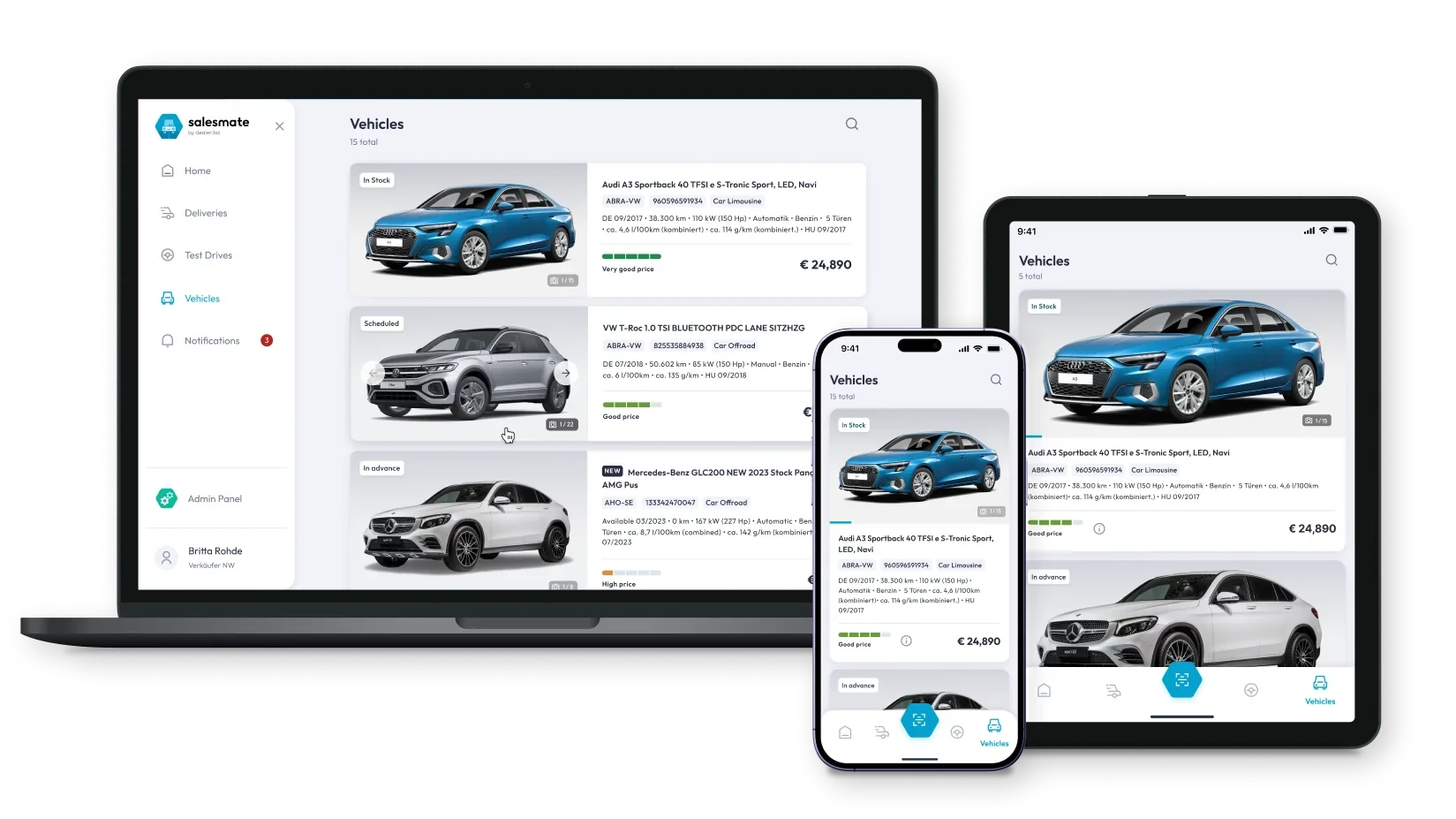
Salesmate on laptop, tablet and phone
The interface was designed for Flutter’s cross-platform framework, ensuring seamless performance and visual consistency across devices. All layouts were created for mobile and adapted for desktop, and tablet, to provide an optimal user experience on any screen size.

User Personas

To understand the daily tasks and expectations of car dealership staff, we developed two key personas that reflect different levels of experience and digital literacy.
User persona: Martin, senior car salesmanUser persona: Sarah, apprentice car saleswoman

User Stories

Initially, a large number of user stories were written based on previously conducted user surveys. These stories were later linked to tasks in Jira and used to create a User Story Map.
User stories

User Story Map

Below is the initial version of the User Story Map, which I created to structure the product around user tasks. It was subsequently revised multiple times to better align features with real user needs and business goals.
User story map

User Task Flow

To ensure a smooth and intuitive user experience, I mapped out two essential task flows:
  1. Create New Test Drive
  1. Test Drive Return
These flows visualize the step-by-step processes users follow to complete key actions within the app – scheduling a test drive and managing its return. This helped identify potential friction points and optimize each interaction for efficiency and clarity.
  1. Create New Test Drive
Task flow: create new test drive
  1. Test Drive Return
Task flow: test drive return

Wireframes

I created detailed wireframes that were later used to develop the first functional prototype, which was tested for functionality.
Wireframes

Design

The design system includes scalable UI components, a clear hierarchy, and easily readable content across screen sizes. I kept the look minimal yet professional, using color to guide attention and highlight key actions. I worked closely with developers to ensure designs were implemented smoothly in Flutter.
Salesmate

Dealership Operations App

Salesmate is a mobile-first assistant app that streamlines dealership operations

From inventory browsing to test drive management and document handling. Designed to work seamlessly on smartphones, tablets and web browsers, the app empowers sales staff to stay productive on the showroom floor, enhancing both customer service and internal efficiency.

It optimizes the sales process and boosts efficiency, offering all the tools needed for success in the automotive trade. Whether searching vehicle inventories, accessing detailed information, organizing test drives, or signing documents digitally

Test drives list screenSalesmate splash screen
Challenge:
Dealership staff often had to juggle multiple tools and paperwork when managing test drives, customer data, and car availability. This slowed down the sales process, created room for errors, and impacted the overall customer experience.
My role:
As the UI/UX designer, I led the whole design process. I defined personas and use cases, built user stories and user flows, wireframes, prototypes and crafted a consistent, intuitive visual interface for mobile and web.
Approach:

Through stakeholder interviews and on-site observations, we identified bottlenecks and pain points in daily dealership operations. I created user personas to represent varying levels of digital literacy, then mapped out user stories, story maps, and task flows for key processes, such as Create New Test Drive and Test Drive Return. High-fidelity wireframes were developed to test structure and navigation, cross-platform capabilities to ensure consistency and performance across devices.

The project was developed in Flutter from the outset and followed a SCRUM methodology with two-week sprints, enabling iterative design, rapid feedback, and close collaboration with the development team.

Result:

The app was successfully implemented across multiple dealerships, consolidating key tasks into one platform.

This reduced paperwork by over 40%, improved the speed of sales operations, and enhanced customer interactions.

Feedback from users was positive, and the app became a valuable tool in modernising the sales process.

Project Overview

Salesmate on laptop, tablet and phone
The interface was designed for Flutter’s cross-platform framework, ensuring seamless performance and visual consistency across devices. All layouts were created for mobile and adapted for desktop, and tablet, to provide an optimal user experience on any screen size.

User Personas

To understand the daily tasks and expectations of car dealership staff, we developed two key personas that reflect different levels of experience and digital literacy.
User persona: Martin, senior car salesmanUser persona: Sarah, apprentice car saleswoman

User Stories

Initially, a large number of user stories were written based on previously conducted user surveys. These stories were later linked to tasks in Jira and used to create a User Story Map.
User stories

User Story Map

Below is the initial version of the User Story Map, which I created to structure the product around user tasks. It was subsequently revised multiple times to better align features with real user needs and business goals.
User story map

User Task Flow

To ensure a smooth and intuitive user experience, I mapped out two essential task flows:
  1. Create New Test Drive
  1. Test Drive Return
These flows visualize the step-by-step processes users follow to complete key actions within the app – scheduling a test drive and managing its return. This helped identify potential friction points and optimize each interaction for efficiency and clarity.
  1. Create New Test Drive
Task flow: create new test drive
  1. Test Drive Return
Task flow: test drive return

Wireframes

I created detailed wireframes that were later used to develop the first functional prototype, which was tested for functionality.
Wireframes

Design

The design system includes scalable UI components, a clear hierarchy, and easily readable content across screen sizes. I kept the look minimal yet professional, using color to guide attention and highlight key actions. I worked closely with developers to ensure designs were implemented smoothly in Flutter.