All projects
Rollingstack — Platform for Development
02 / 04
Rollingstack interface on a laptop
Rollingstack is a cloud-based platform designed best way to build and operate modern software applications
It enables teams to quickly launch projects, automate DevOps processes, and manage Kubernetes clusters, microservices, and environments in a centralized, user-friendly interface.

Benefits for Businesses:

  • Building custom SaaS-applications in cloud
  • Fast and efficient development
  • Cost-savings on cloud-hosting. No expensive tools and services
  • Uninterrupted production during deployments and fixes
  • No lock-in on cloud vendor

Platform for Development

Challenge:

This was one of the most challenging projects I’ve worked on.

At the start, I had no prior experience with cloud infrastructure, DevOps tools, or Kubernetes. The domain felt overwhelming and highly technical.

My role:
UI/UX Designer. I conducted the user research, created personas and empathy maps, designed task flows and the interface of the platform.
Approach:

To bridge that gap, I immersed myself in the subject – reading documentation, exploring tools, and meeting with many members of the technical team to better understand the context.

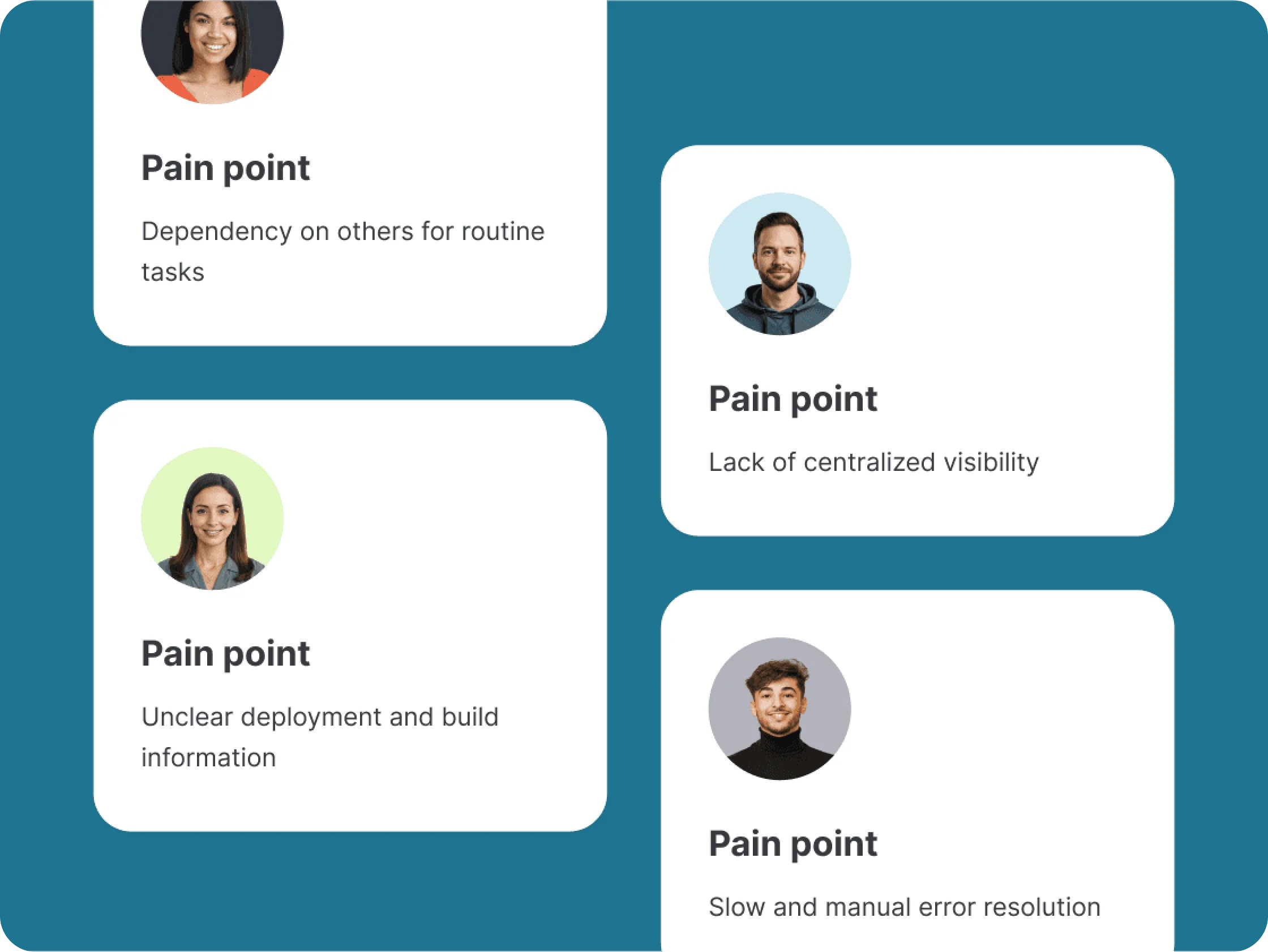
I personally conducted in-depth interviews with developers, QA engineers, DevOps specialists, and PMs. Through empathy mapping, I identified key pain points: fragmented tools, lack of transparency, and communication gaps. This research informed the user flows and helped me design a clean, intuitive interface for highly complex tasks.

Results:

The MVP version of the product was successfully delivered and included:

  • Monitoring key K8S cluster metrics, as well as performing some manipulations in the cluster
  • Creating, copying, deleting a new environments
  • Creating, copying, deleting microservices
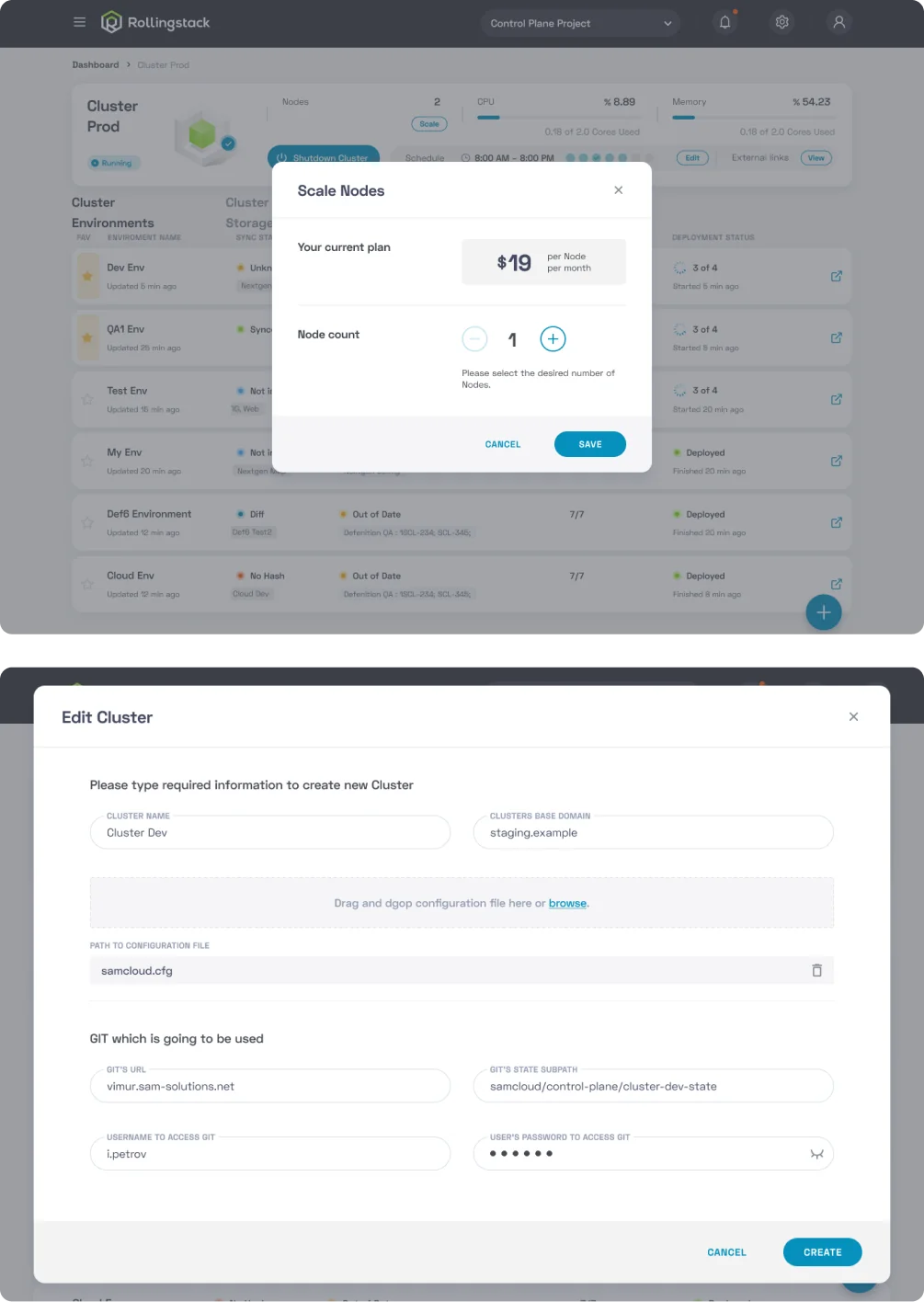
  • Managing the number of nodes in the cluster, and more

As a result, the application reduced deployment setup time by 43%, compared to the previous manual process, significantly improving efficiency for DevOps teams.

It was a valuable experience that taught me how to design for unfamiliar, complex systems by relying on curiosity, collaboration, and research.

Project Overview

Process: User research

To understand user needs and workflows, I conducted 8 interviews with key users and stakeholders, then organised the insights.

  • 3 DevOps Engineers
  • 2 Developers
  • 1 QA-engineer
  • 1 Tech Lead
  • 1 Project Manager

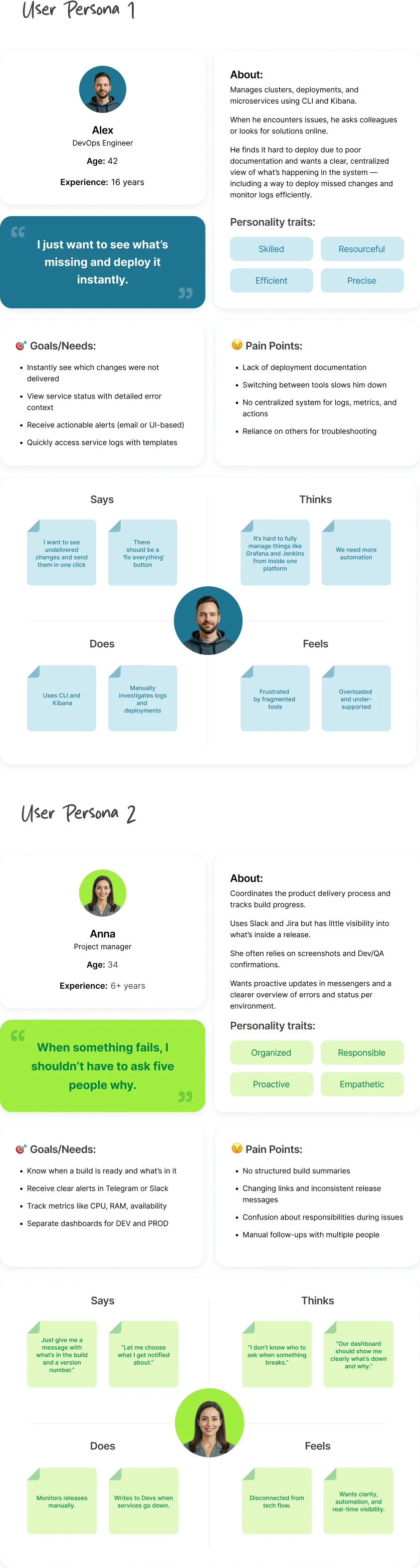
Based on this research, I created user personas and empathy maps to guide design decisions.
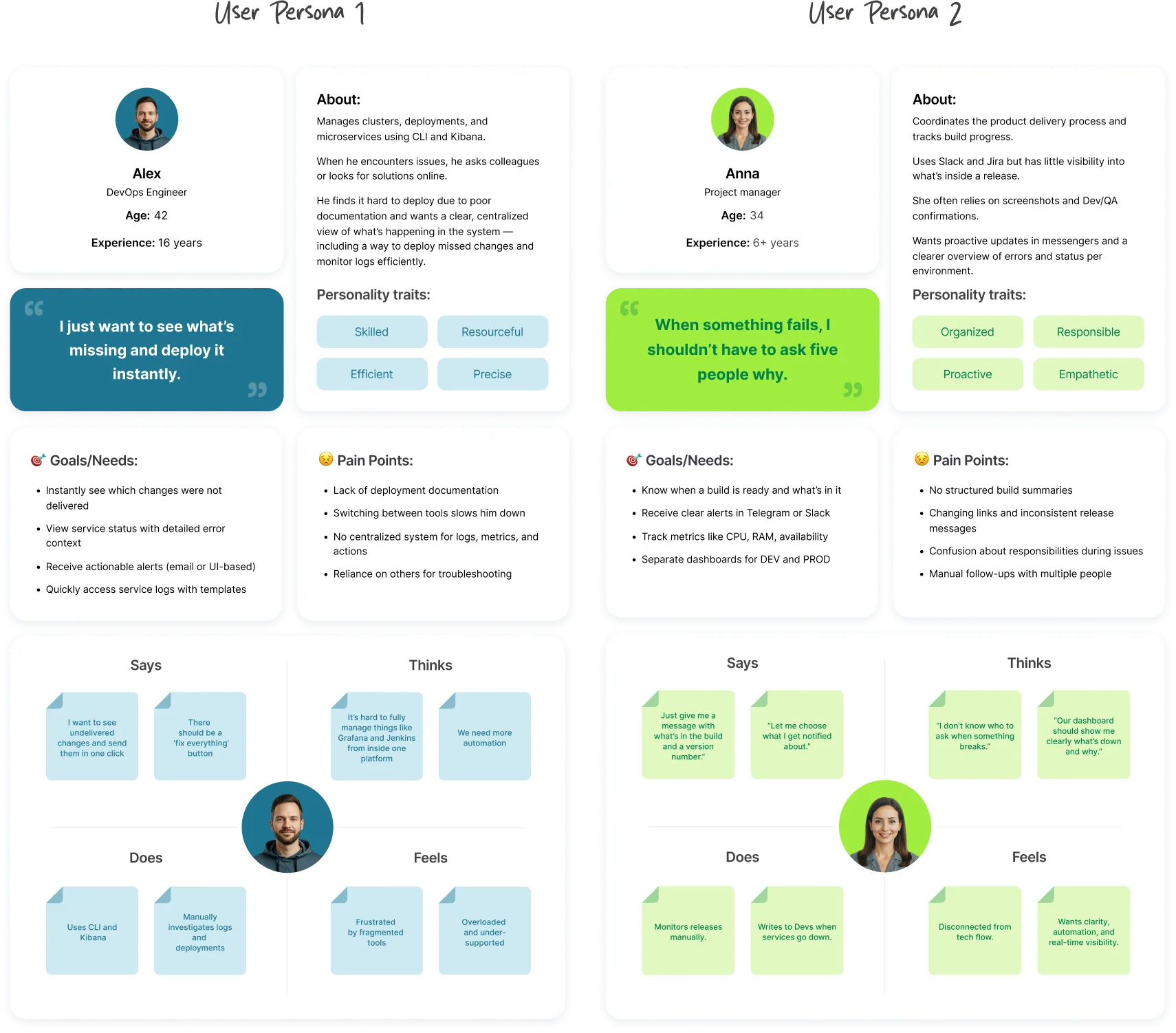
User personas and empathy maps

User insights

DevOps Engineers wanted fast access to logs, crash insights, and easy redeploy options. They valued system transparency and a "Fix everything" button.
QAs needed the ability to clone environments and track changes across builds.
Developers preferred centralized service info without relying on DevOps.
PMs wished for alert systems integrated with messengers, and quick summaries of build versions, changes, and statuses.
These interviews shaped many critical features of the platform, such as color-coded service health, Slack/TG integration, and CI/CD transparency.
Summary of user interview insights

Tasks flow & Map

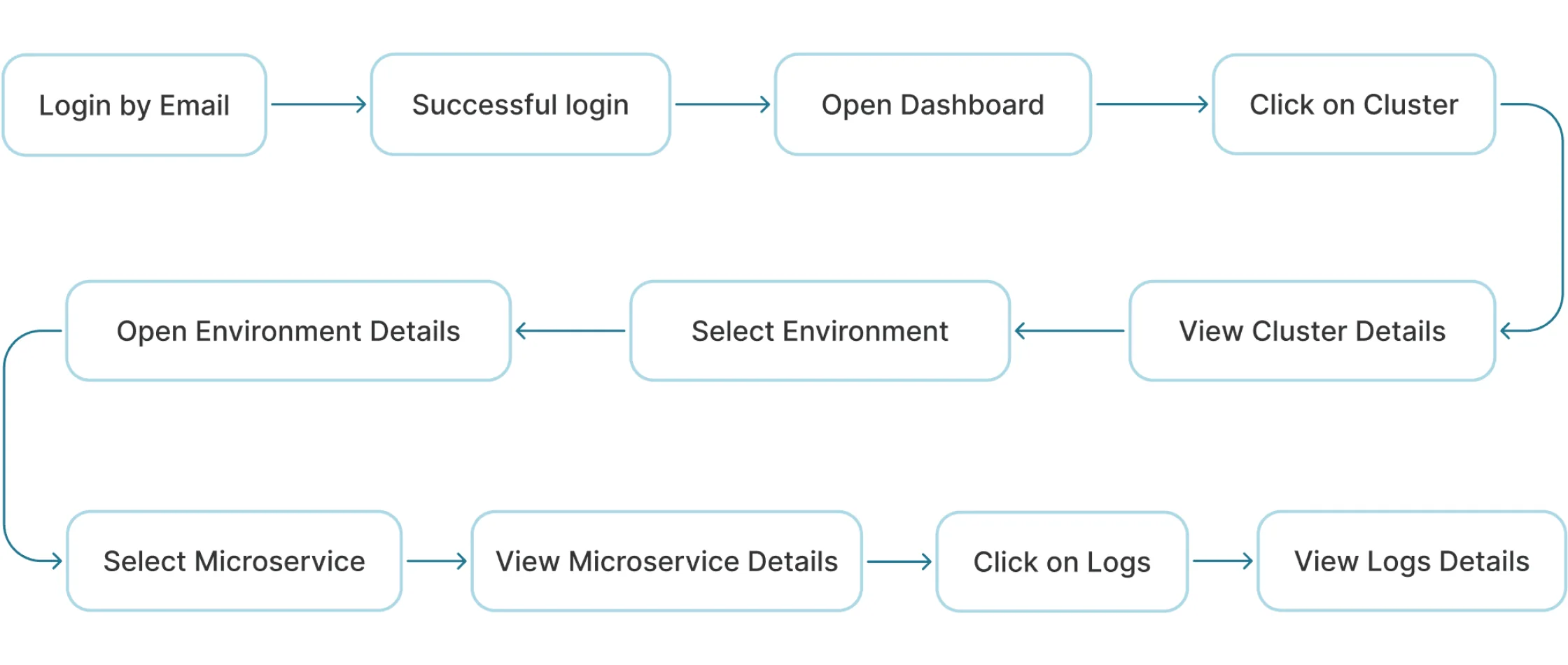
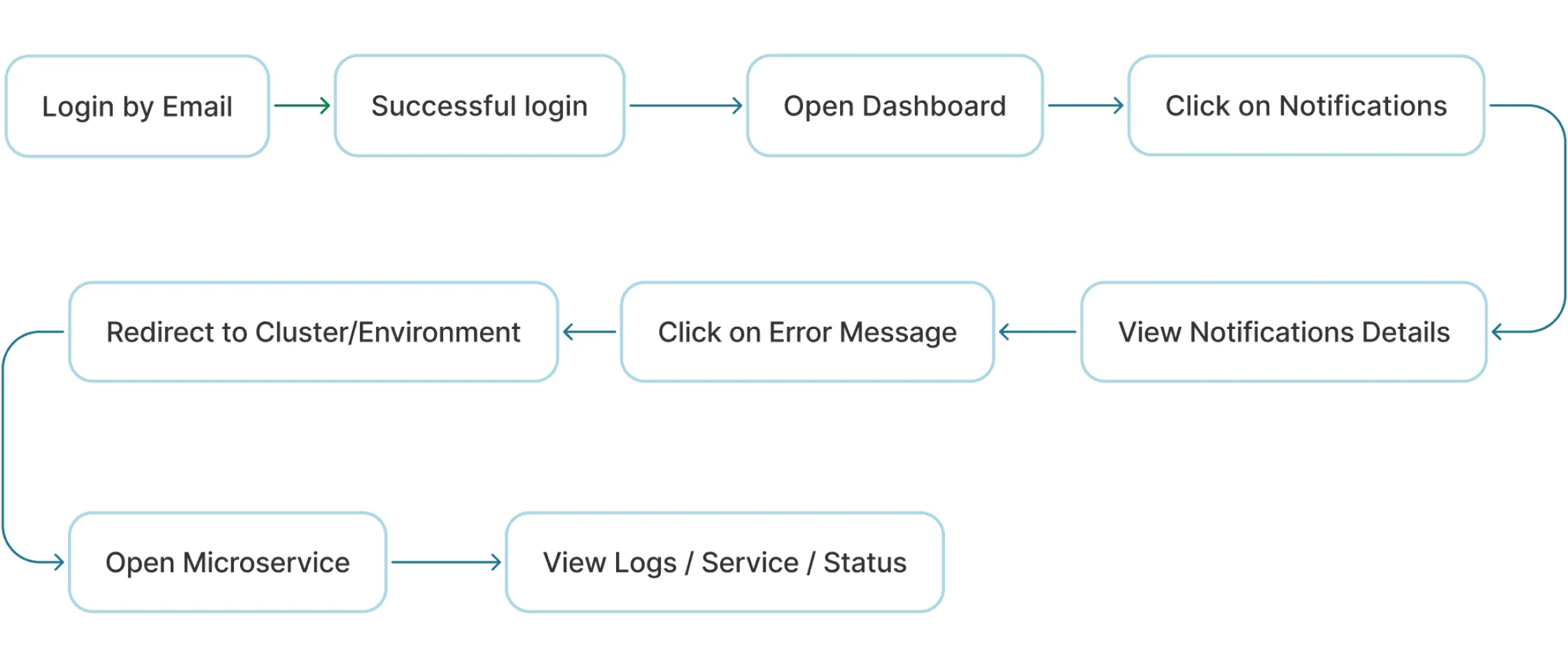
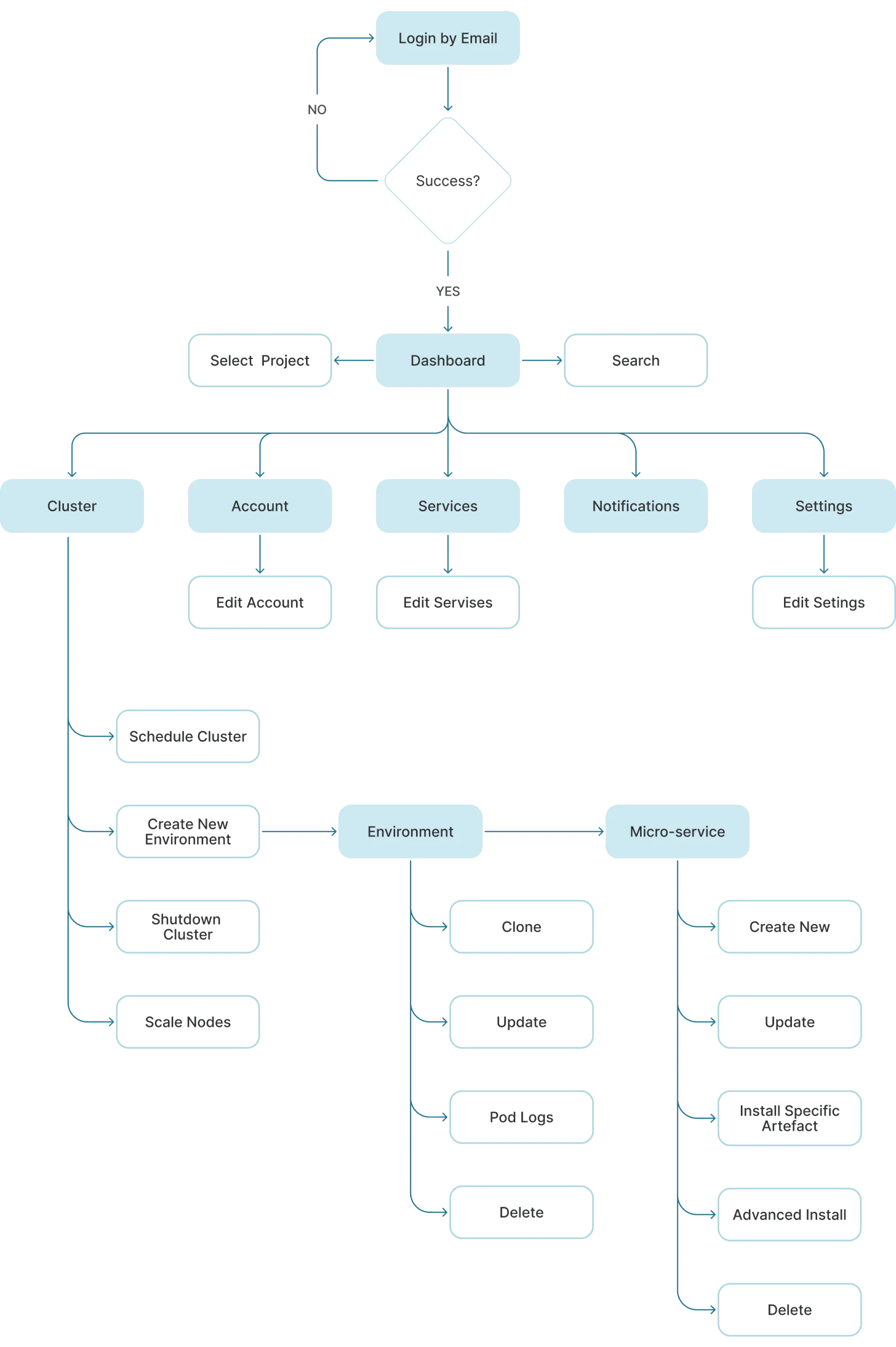
Based on user research and platform structure, key task flows were designed to cover the most critical actions
Task Flow 1 – The Process of Viewing a Microservice Log
Task flow 1: viewing a microservice log
Task Flow 2 – Handling an Error Notification
Task flow 2: handling an error notification
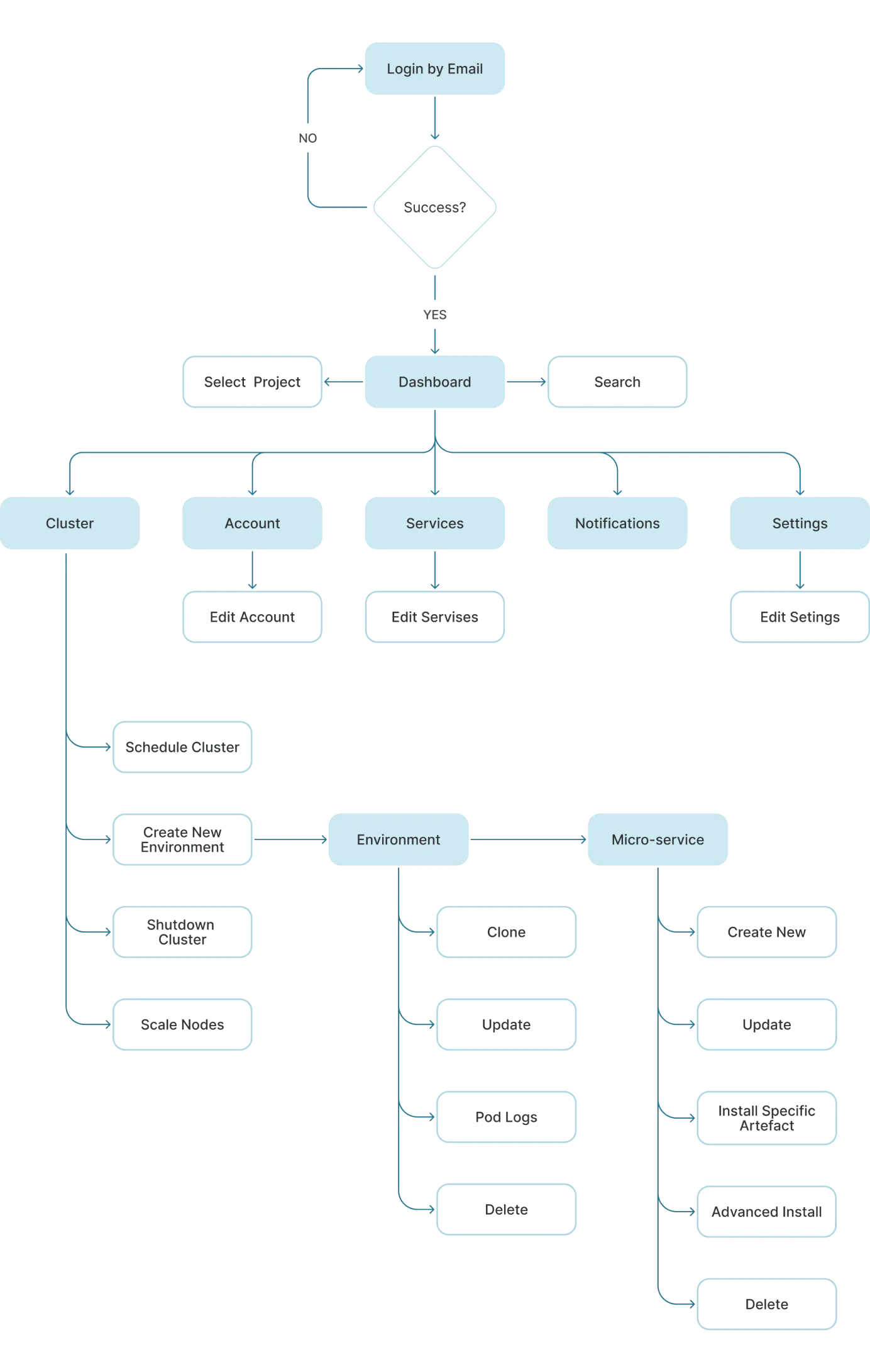
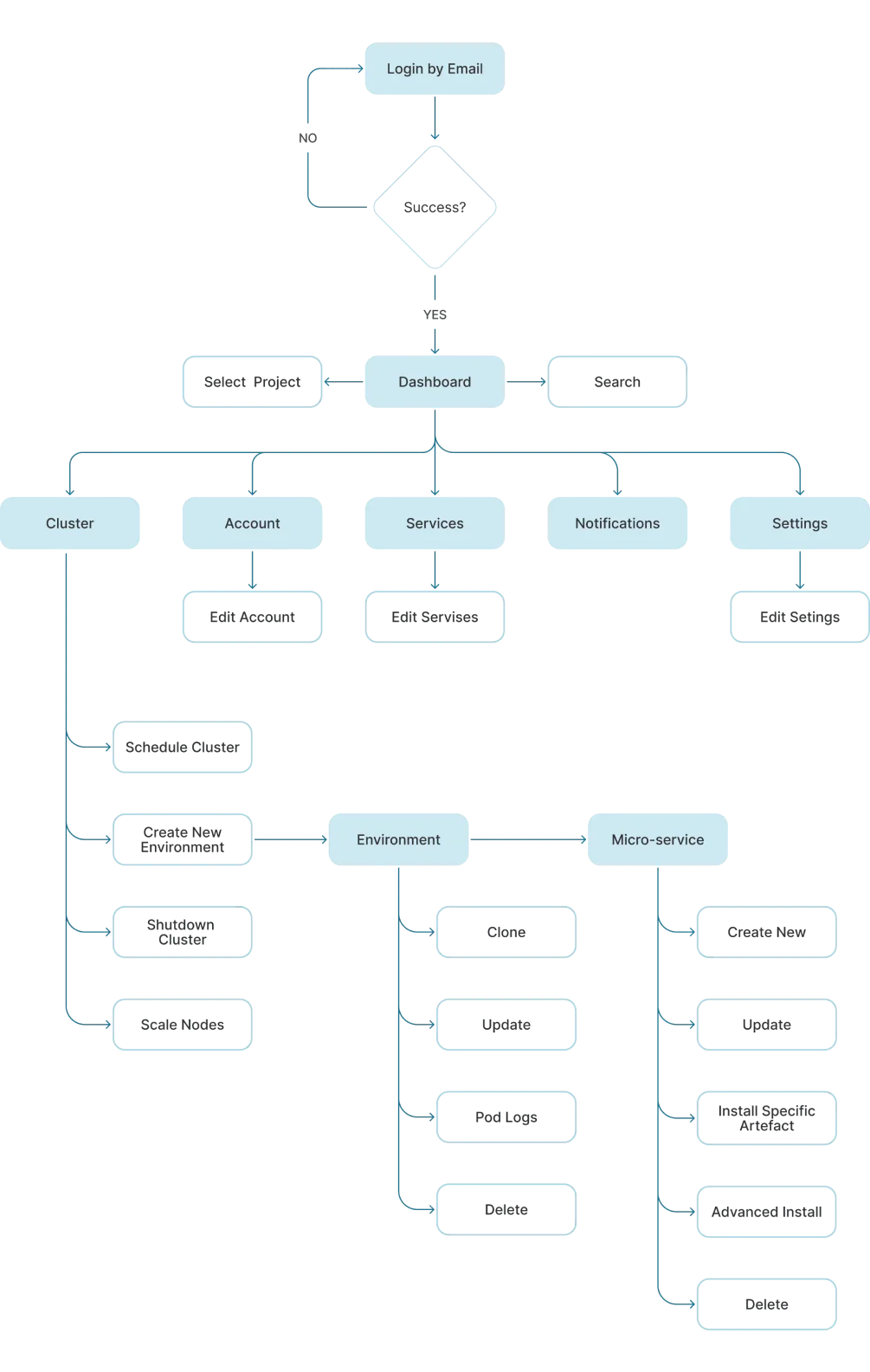
Information architecture map of the platform

Design

The MVP version of the product includes:
• monitoring the basic metrics of K8S cluster, as well as performing some manipulations in the cluster
• namely creating, copying, deleting a new environment

• creating, copying, deleting a new service

• manage the number of nodes on cluster, etc.
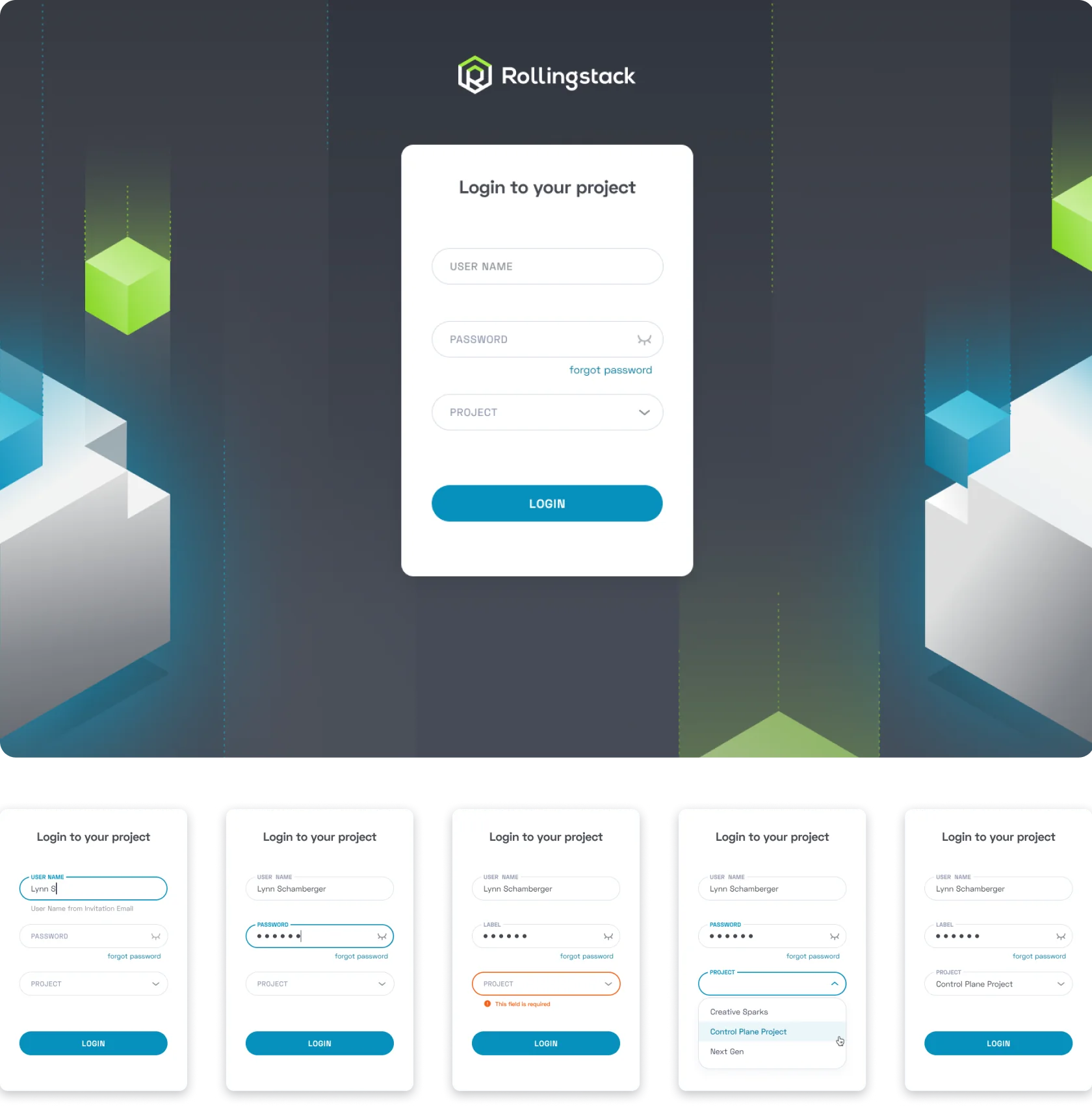
Login
Login screen
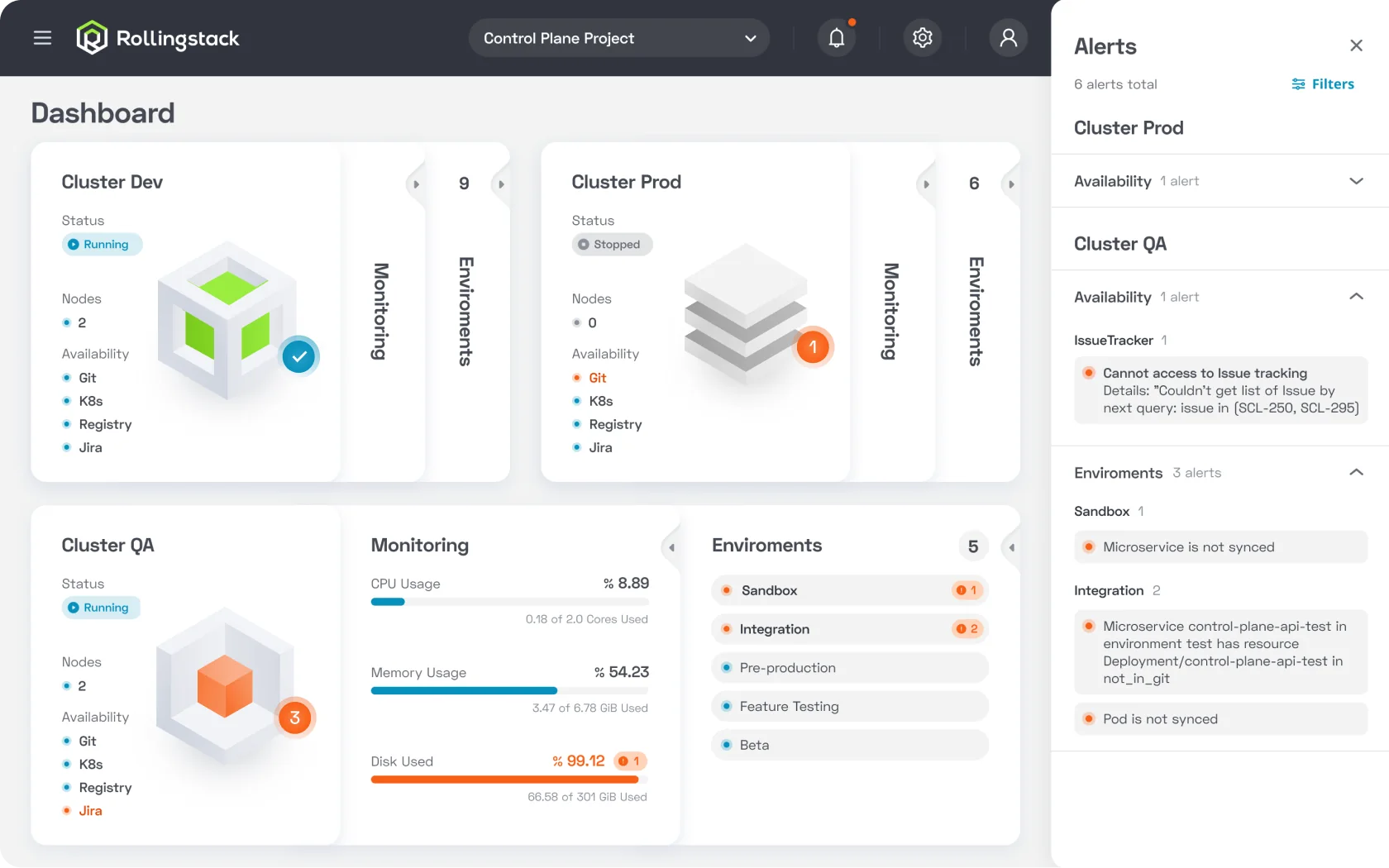
Dashboard
Dashboard screenDashboard screen
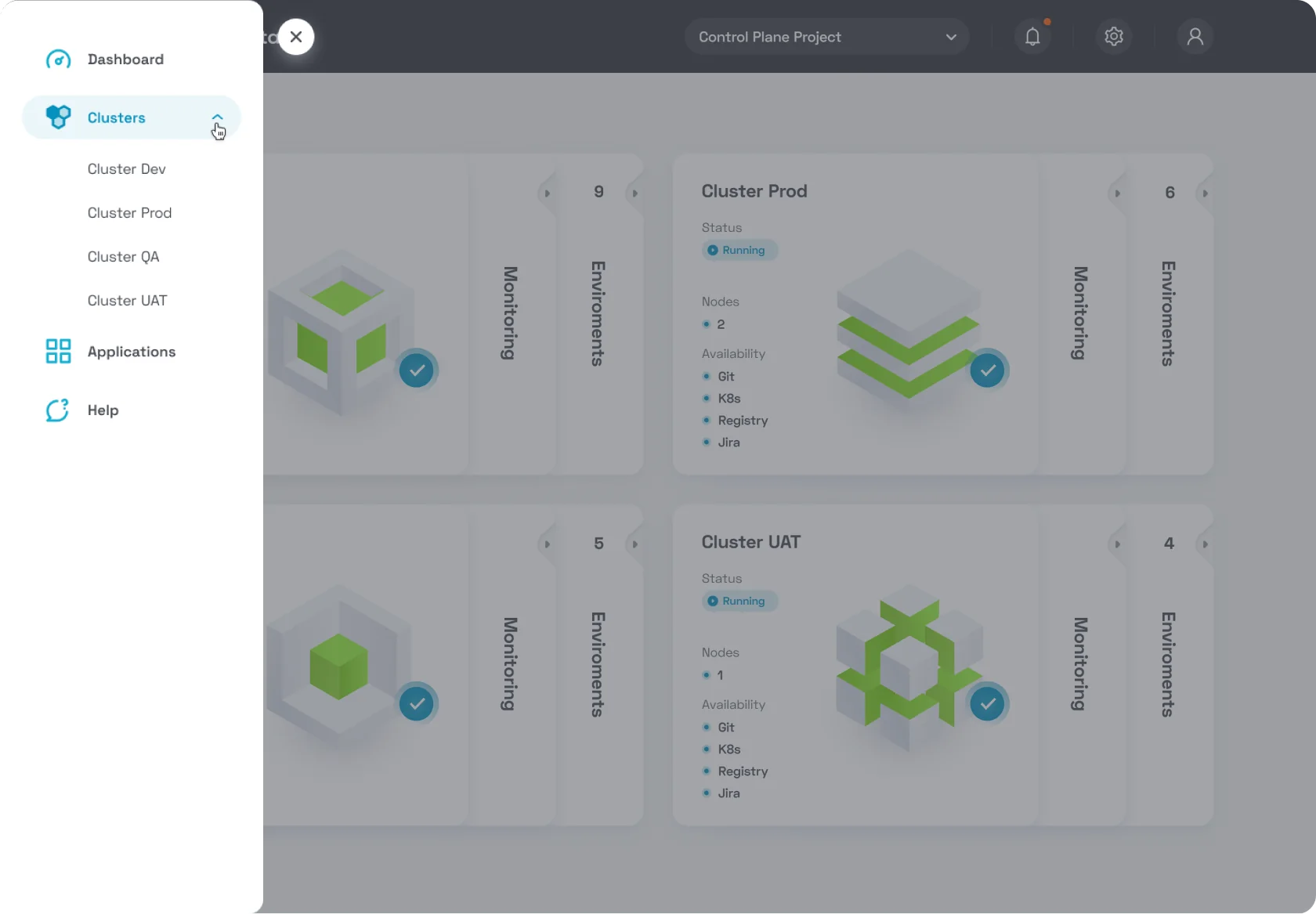
Navigation menu
Navigation menu
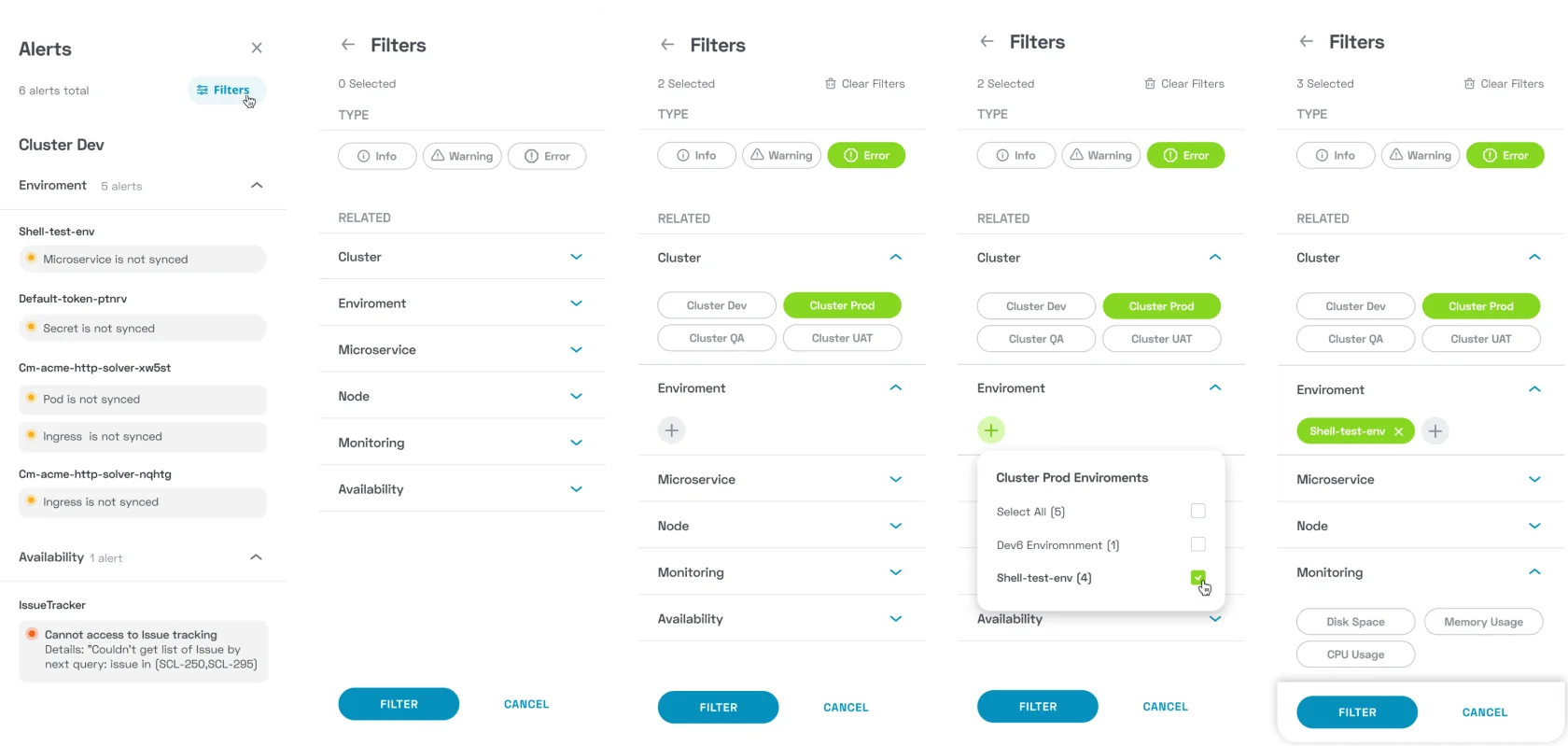
Alerts
Alerts screenAlerts screen
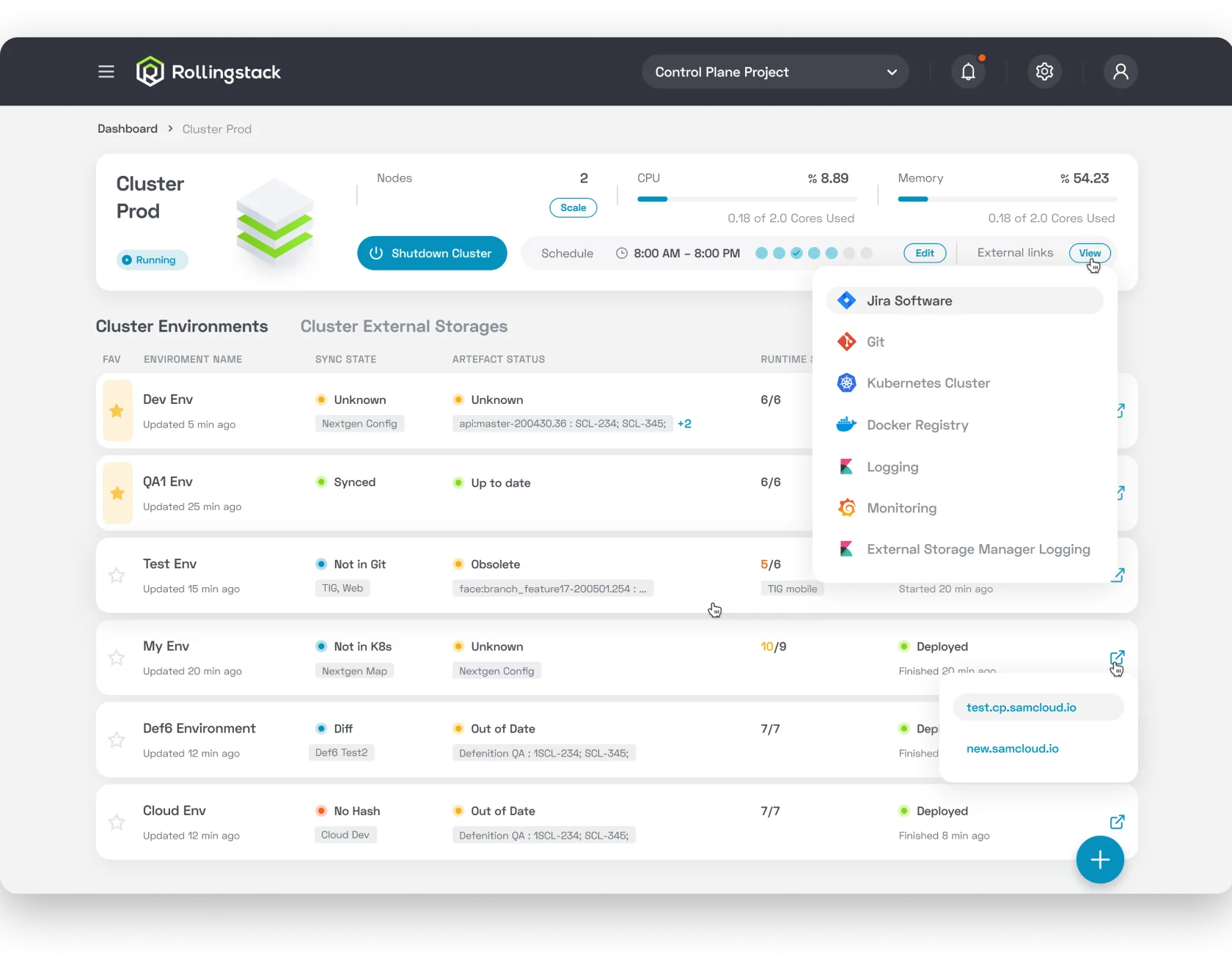
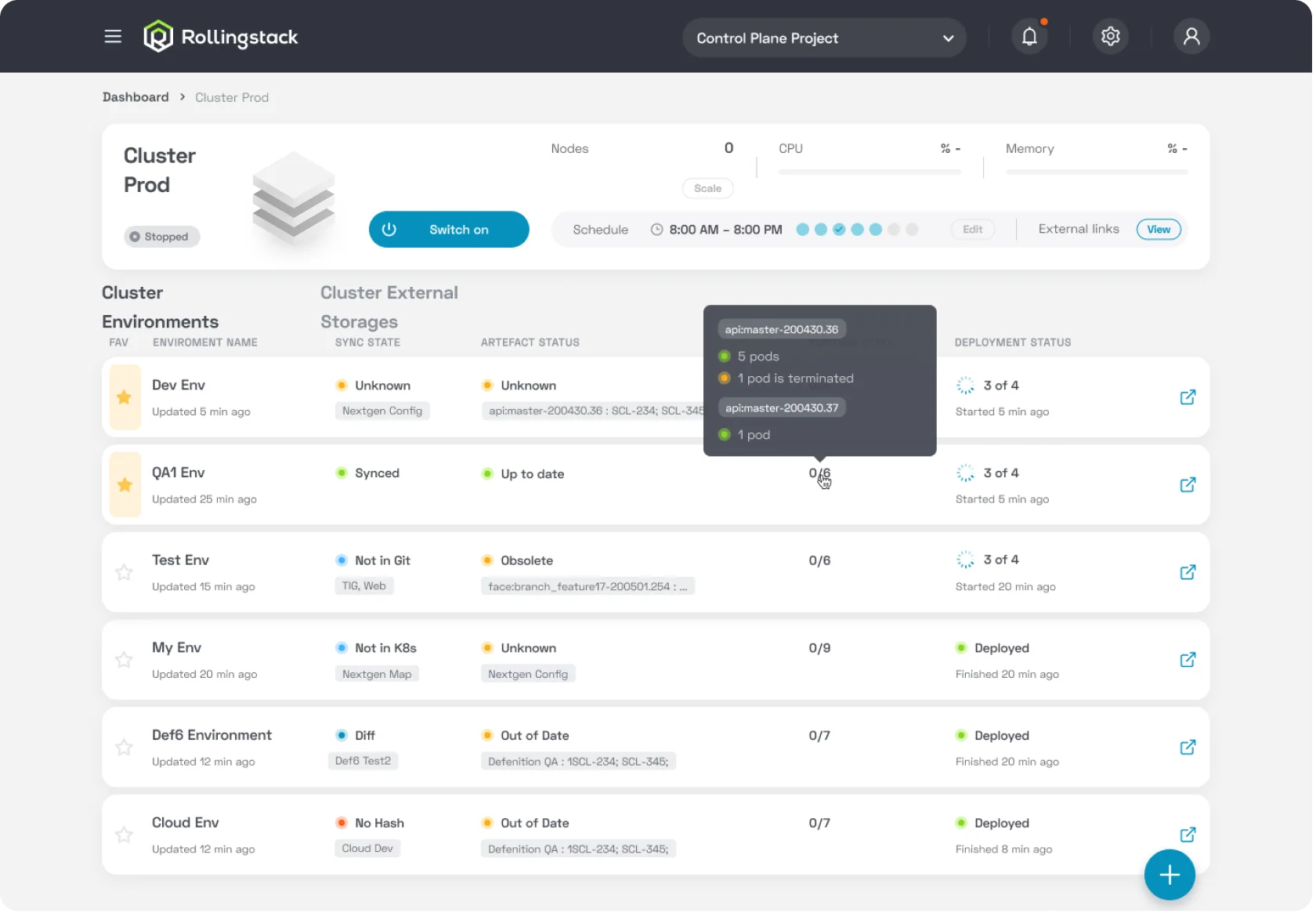
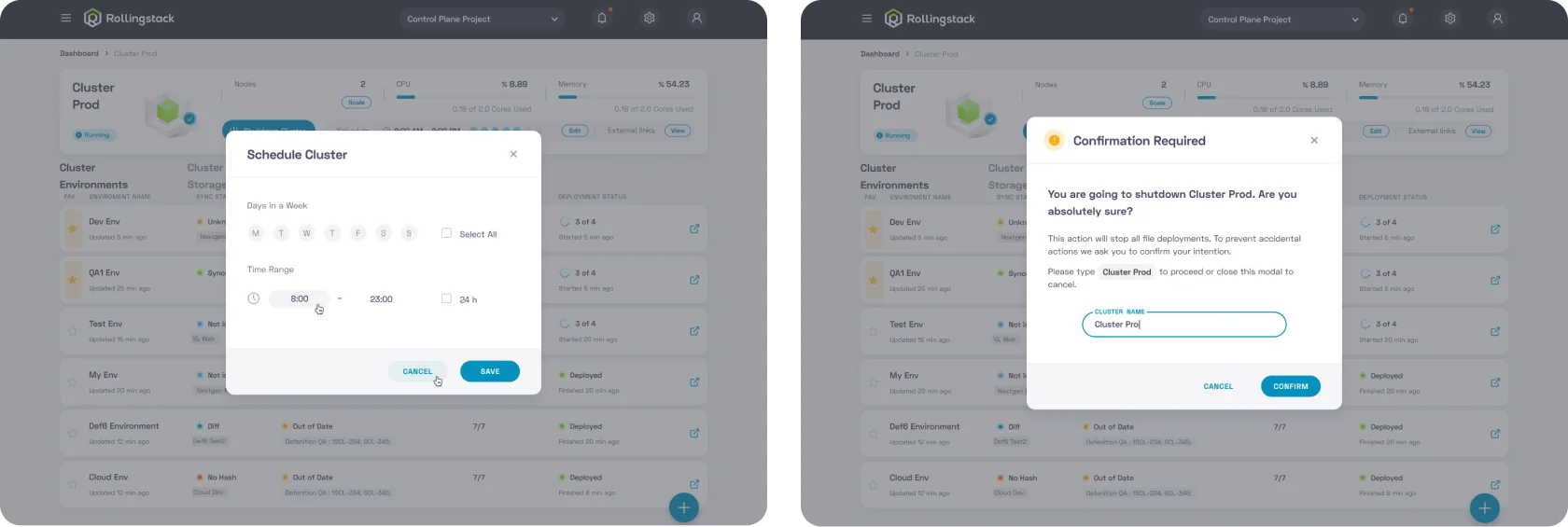
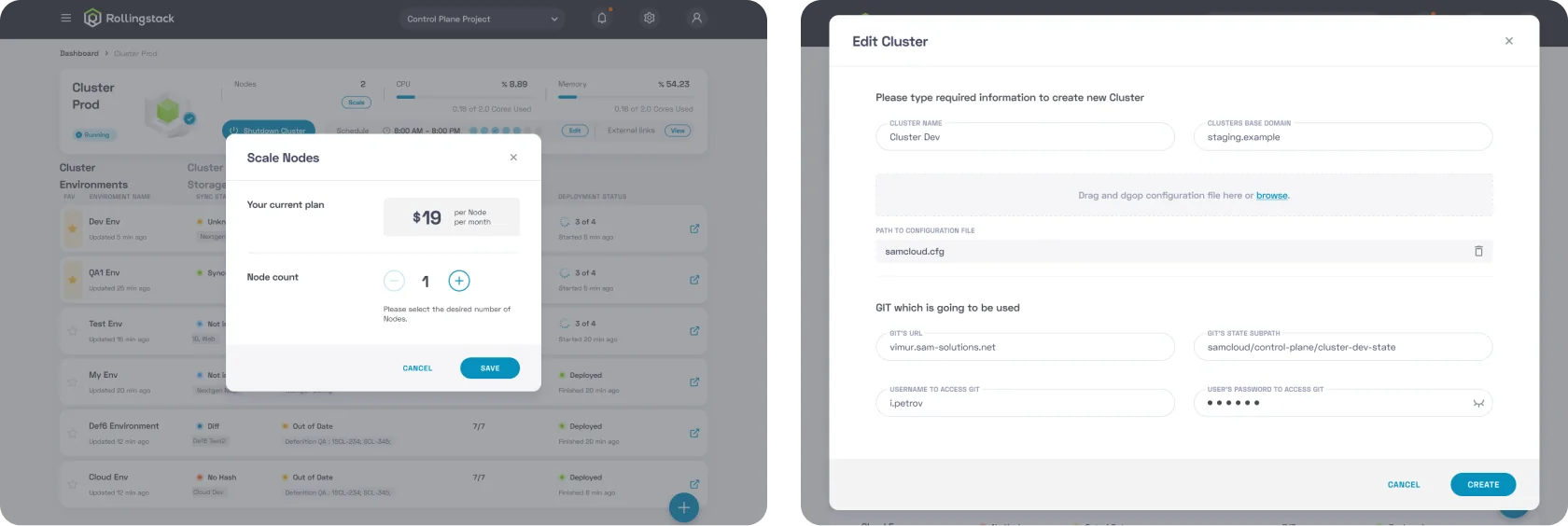
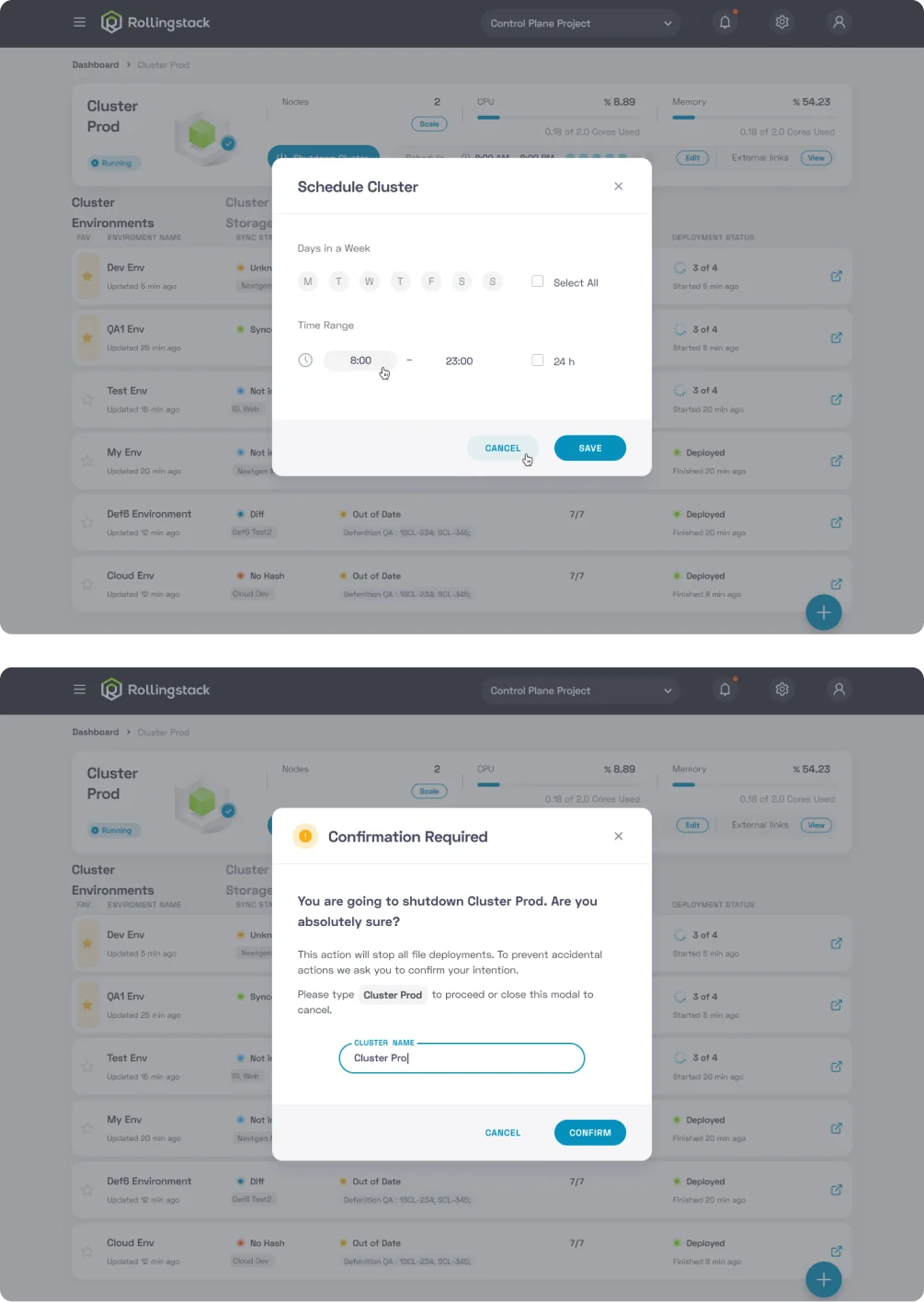
Cluster Page
Cluster pageCluster pageCluster page detailsCluster page details
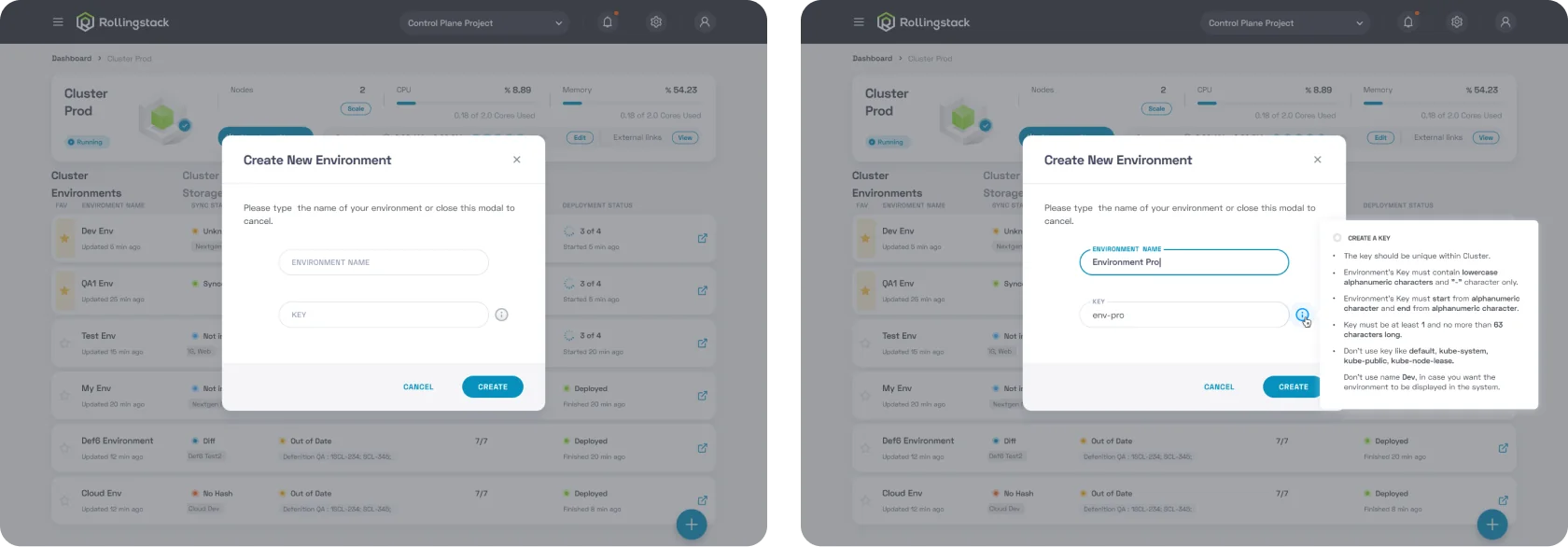
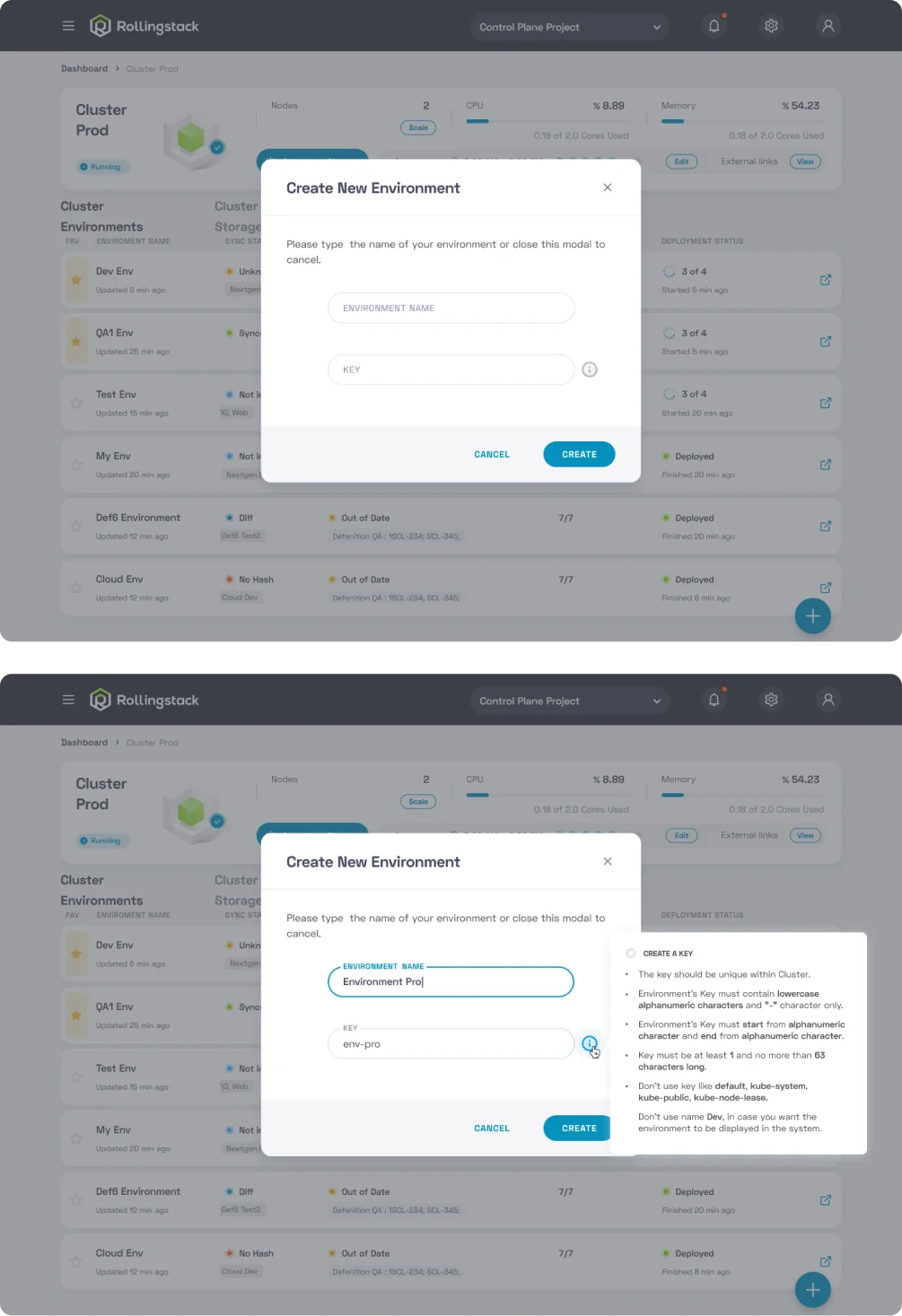
Create New Environment
Create new environment
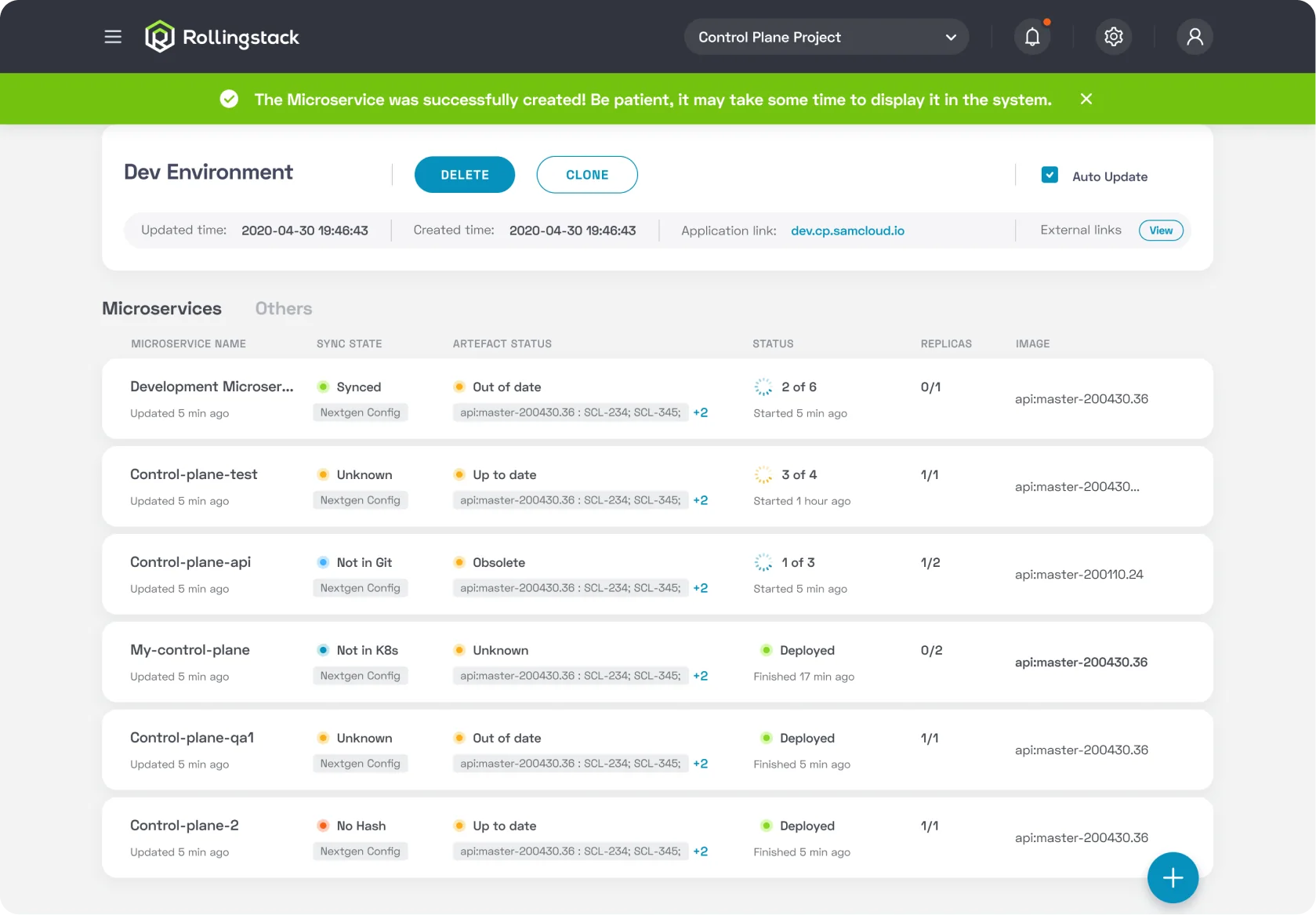
Environment Page
Environment pageEnvironment page
Advanced Install
Advanced install
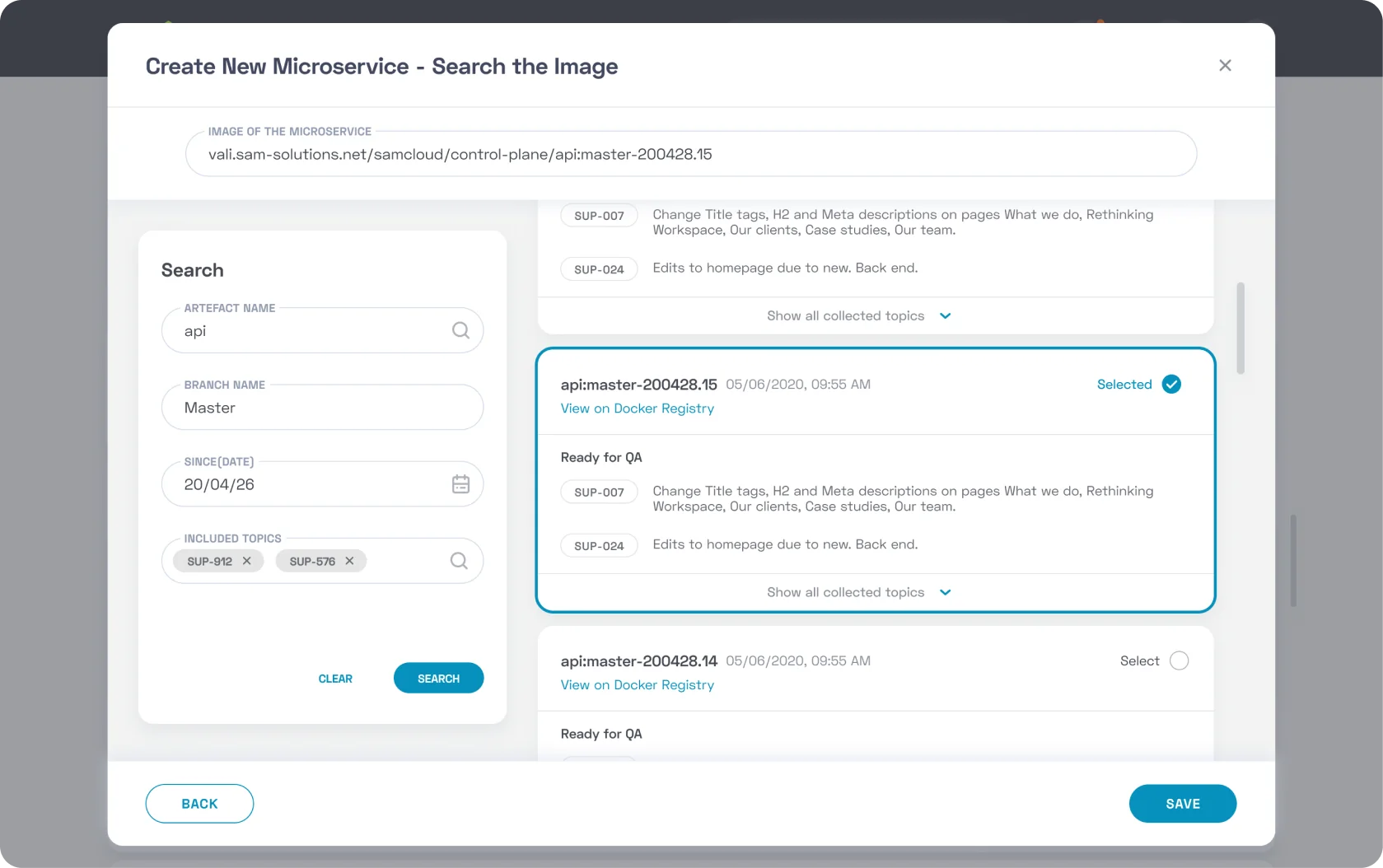
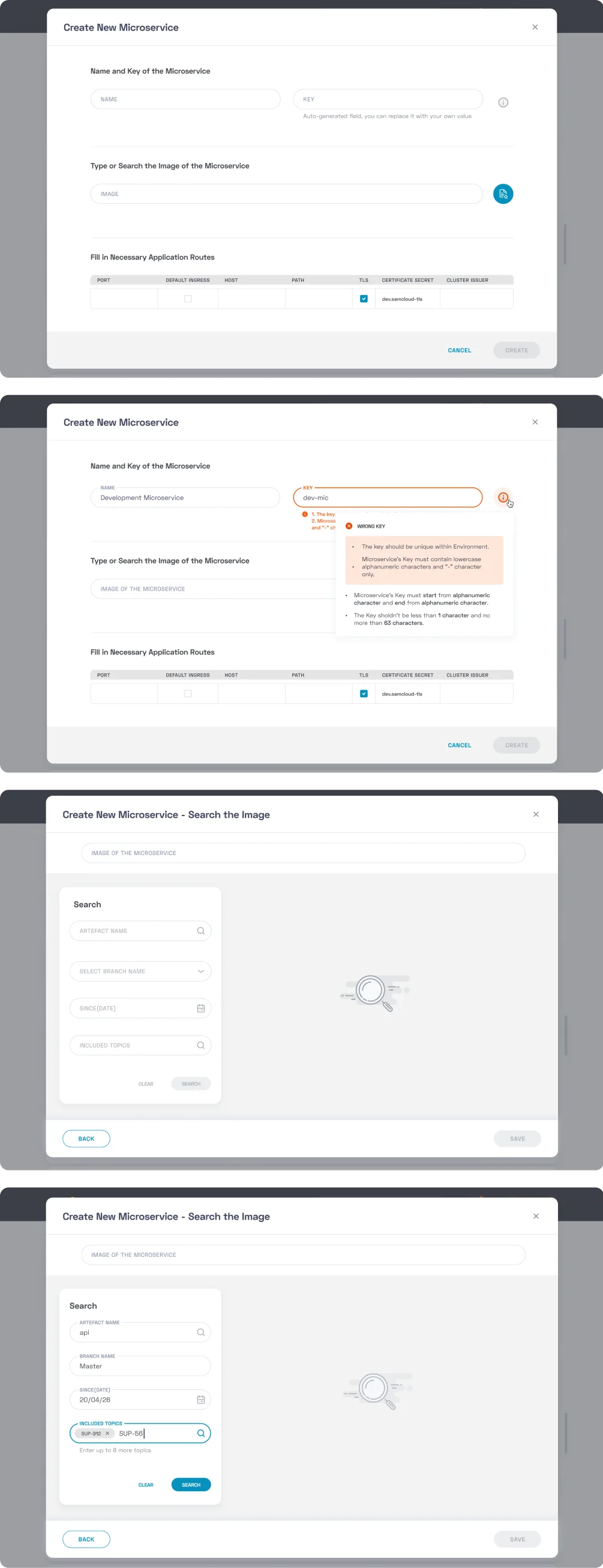
Create New Microservice
Create new microserviceCreate new microserviceCreate new microservice
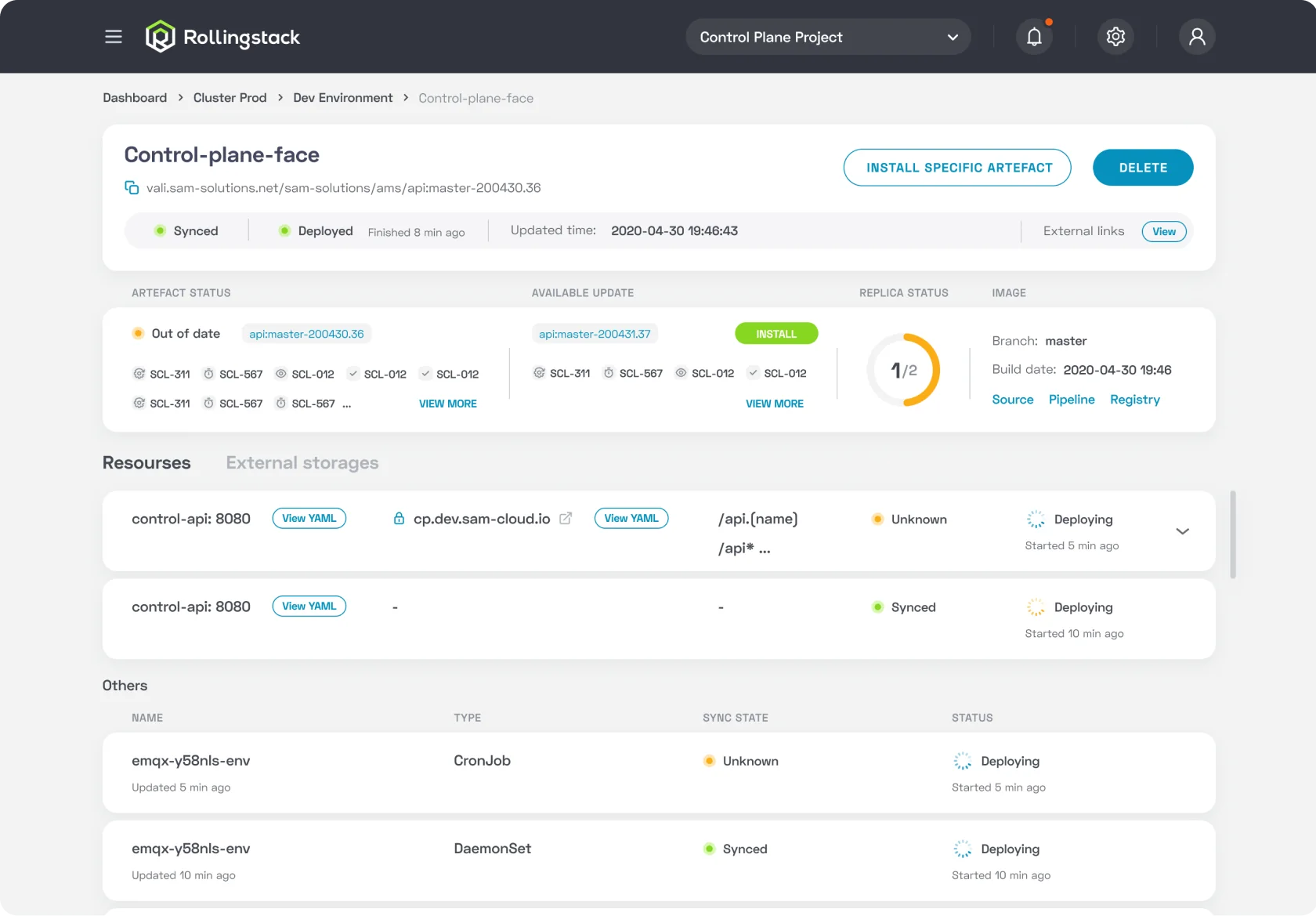
Microservice Page
Microservice page
All projects
Rollingstack — Platform for Development
02 / 04
Rollingstack interface on a laptop
Rollingstack is a cloud-based platform designed best way to build and operate modern software applications
It enables teams to quickly launch projects, automate DevOps processes, and manage Kubernetes clusters, microservices, and environments in a centralized, user-friendly interface.

Benefits for Businesses:

  • Building custom SaaS-applications in cloud
  • Fast and efficient development
  • Cost-savings on cloud-hosting. No expensive tools and services
  • Uninterrupted production during deployments and fixes
  • No lock-in on cloud vendor

Platform for Development

Challenge:

This was one of the most challenging projects I’ve worked on.

At the start, I had no prior experience with cloud infrastructure, DevOps tools, or Kubernetes. The domain felt overwhelming and highly technical.

My role:
UI/UX Designer. I conducted the user research, created personas and empathy maps, designed task flows and the interface of the platform.
Approach:

To bridge that gap, I immersed myself in the subject – reading documentation, exploring tools, and meeting with many members of the technical team to better understand the context.

I personally conducted in-depth interviews with developers, QA engineers, DevOps specialists, and PMs. Through empathy mapping, I identified key pain points: fragmented tools, lack of transparency, and communication gaps. This research informed the user flows and helped me design a clean, intuitive interface for highly complex tasks.

Results:

The MVP version of the product was successfully delivered and included:

  • Monitoring key K8S cluster metrics, as well as performing some manipulations in the cluster
  • Creating, copying, deleting a new environments
  • Creating, copying, deleting microservices
  • Managing the number of nodes in the cluster, and more

As a result, the application reduced deployment setup time by 43%, compared to the previous manual process, significantly improving efficiency for DevOps teams.

It was a valuable experience that taught me how to design for unfamiliar, complex systems by relying on curiosity, collaboration, and research.

Project Overview

Process: User research

To understand user needs and workflows, I conducted 8 interviews with key users and stakeholders, then organised the insights.

  • 3 DevOps Engineers
  • 2 Developers
  • 1 QA-engineer
  • 1 Tech Lead
  • 1 Project Manager

Based on this research, I created user personas and empathy maps to guide design decisions.

User personas and empathy maps

User insights

DevOps Engineers wanted fast access to logs, crash insights, and easy redeploy options. They valued system transparency and a "Fix everything" button.
QAs needed the ability to clone environments and track changes across builds.
Developers preferred centralized service info without relying on DevOps.
PMs wished for alert systems integrated with messengers, and quick summaries of build versions, changes, and statuses.
These interviews shaped many critical features of the platform, such as color-coded service health, Slack/TG integration, and CI/CD transparency.
Summary of user interview insights

Tasks flow & Map

Based on user research and platform structure, key task flows were designed to cover the most critical actions
Task Flow 1 – The Process of Viewing a Microservice Log
Task flow 1: viewing a microservice log
Task Flow 2 – Handling an Error Notification
Task flow 2: handling an error notification
Information architecture map of the platform

Design

The MVP version of the product includes:
• monitoring the basic metrics of K8S cluster, as well as performing some manipulations in the cluster
• namely creating, copying, deleting a new environment

• creating, copying, deleting a new service

• manage the number of nodes on cluster, etc.
Login
Login screen
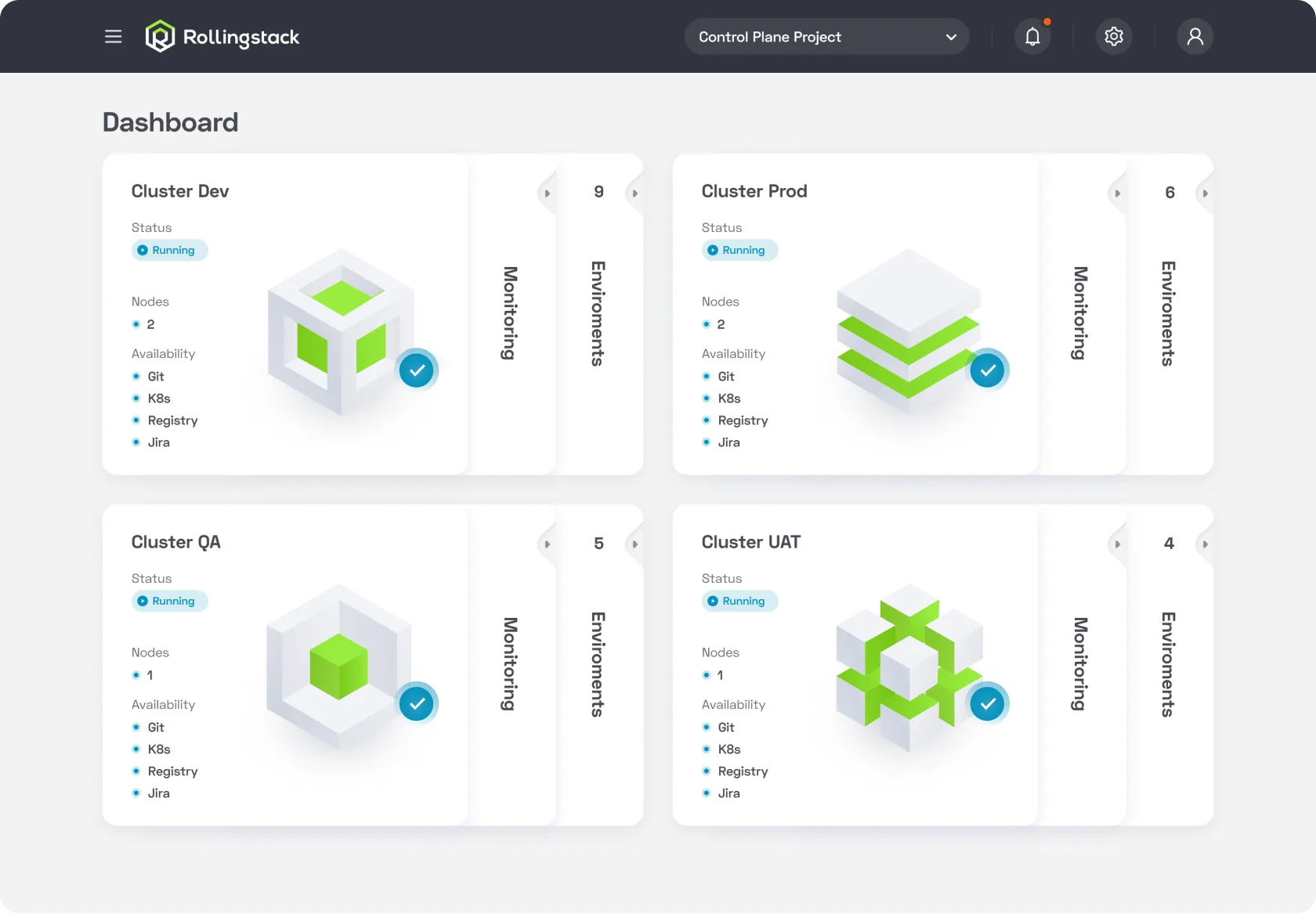
Dashboard
Dashboard screenDashboard screen
Navigation menu
Navigation menu
Alerts
Alerts screenAlerts screen
Cluster Page
Cluster pageCluster pageCluster page detailsCluster page details
Create New Environment
Create new environment
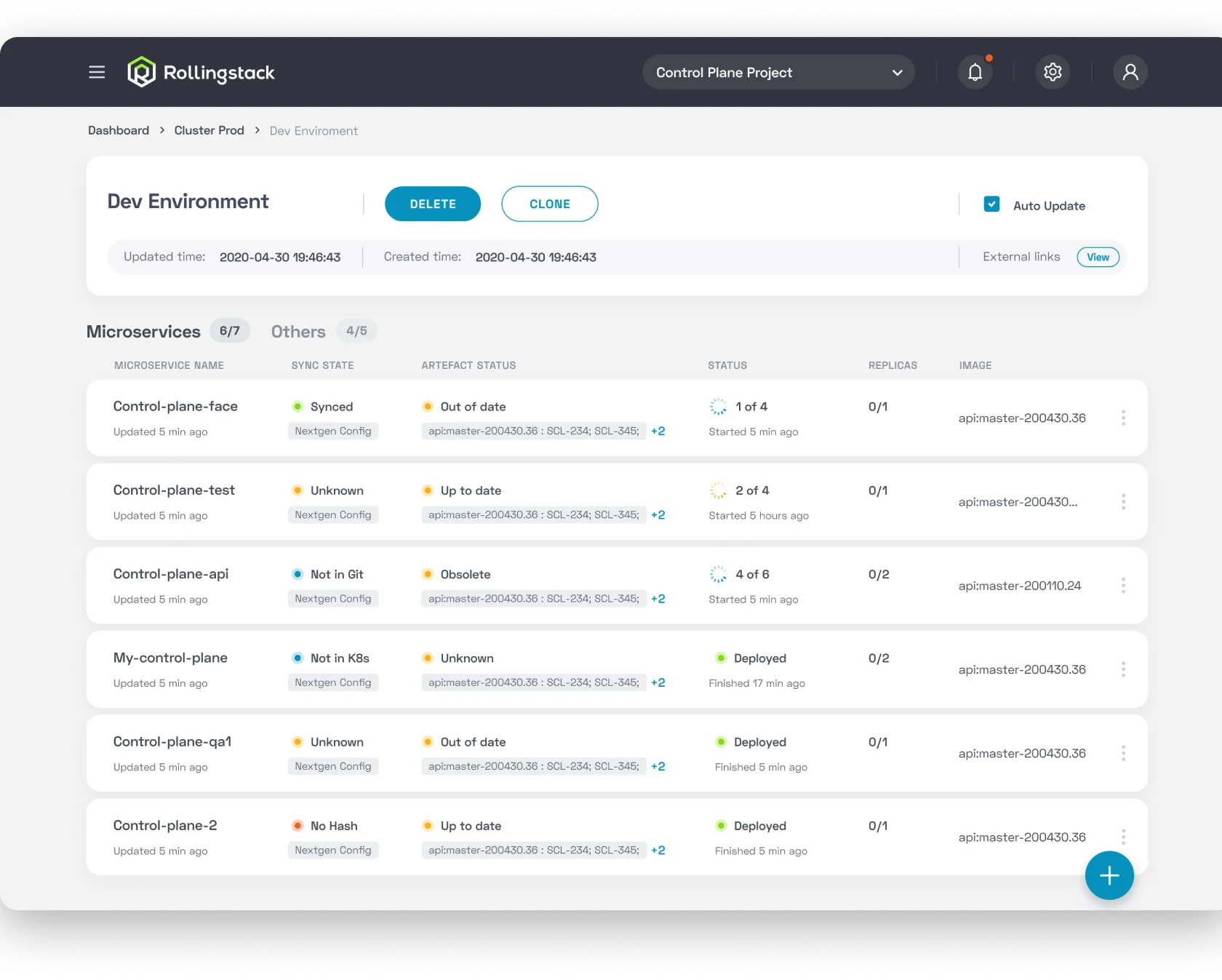
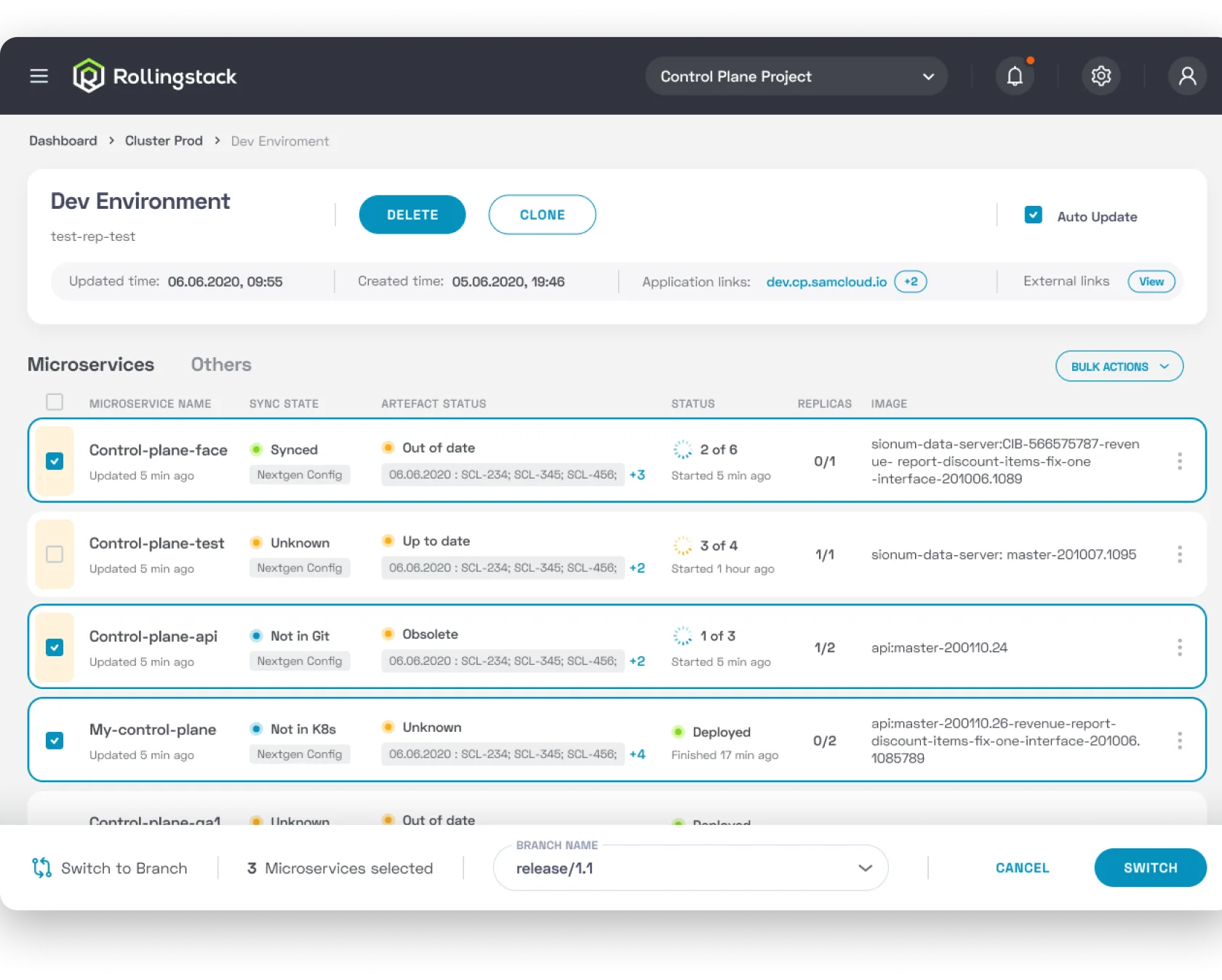
Environment Page
Environment pageEnvironment page
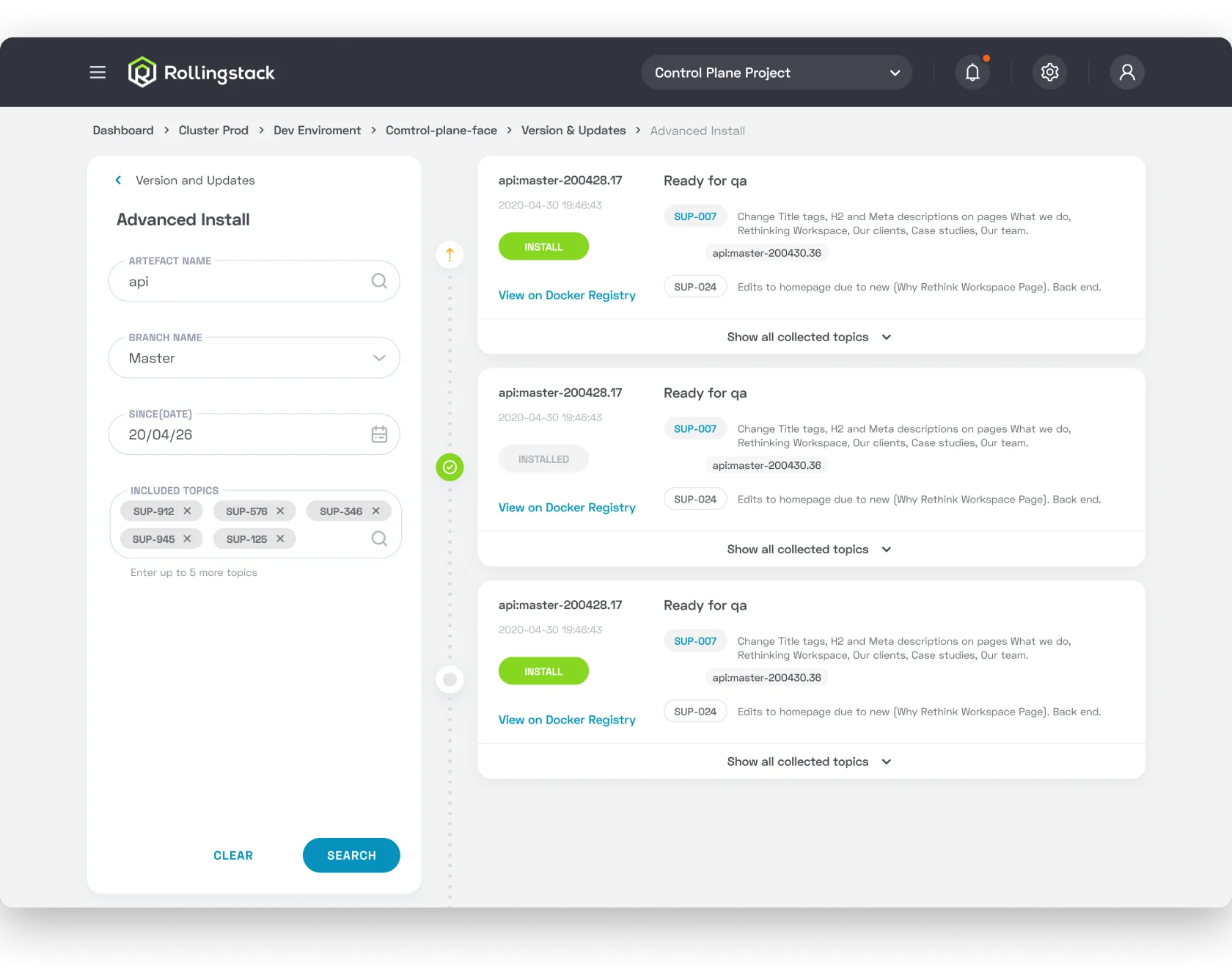
Advanced Install
Advanced install
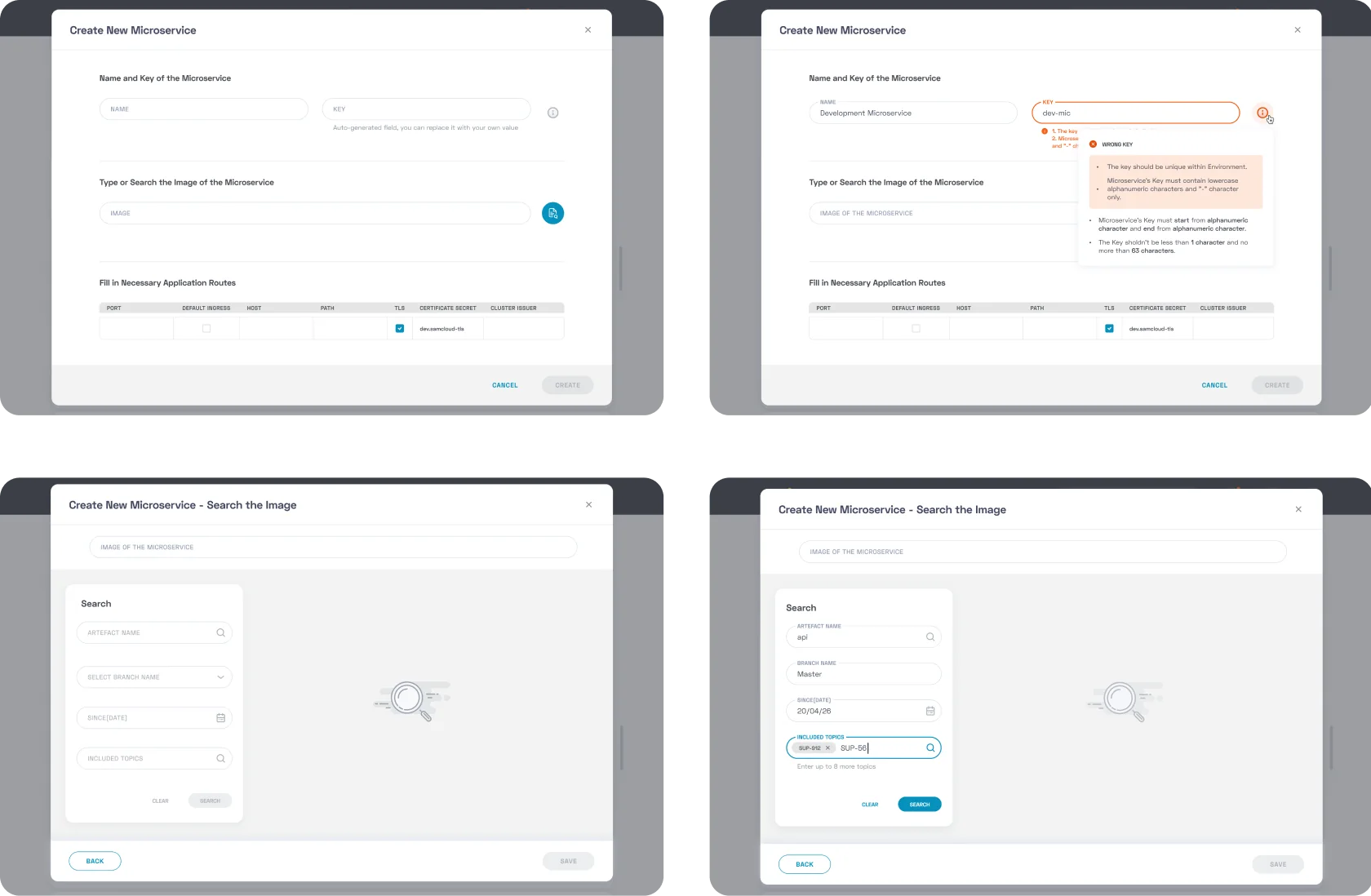
Create New Microservice
Create new microserviceCreate new microserviceCreate new microservice
Microservice Page
Microservice page
Rollingstack
Rollingstack interface on a laptop
Rollingstack is a cloud-based platform designed best way to build and operate modern software applications
It enables teams to quickly launch projects, automate DevOps processes, and manage Kubernetes clusters, microservices, and environments in a centralized, user-friendly interface.

Benefits for Businesses:

  • Building custom SaaS-applications in cloud
  • Fast and efficient development
  • Cost-savings on cloud-hosting. No expensive tools and services
  • Uninterrupted production during deployments and fixes
  • No lock-in on cloud vendor

Platform for Development

Challenge:

This was one of the most challenging projects I’ve worked on.

At the start, I had no prior experience with cloud infrastructure, DevOps tools, or Kubernetes. The domain felt overwhelming and highly technical.

My role:
UI/UX Designer. I conducted the user research, created personas and empathy maps, designed task flows and the interface of the platform.
Approach:

To bridge that gap, I immersed myself in the subject – reading documentation, exploring tools, and meeting with many members of the technical team to better understand the context.

I personally conducted in-depth interviews with developers, QA engineers, DevOps specialists, and PMs. Through empathy mapping, I identified key pain points: fragmented tools, lack of transparency, and communication gaps. This research informed the user flows and helped me design a clean, intuitive interface for highly complex tasks.

Results:

The MVP version of the product was successfully delivered and included:

  • Monitoring key K8S cluster metrics, as well as performing some manipulations in the cluster
  • Creating, copying, deleting a new environments
  • Creating, copying, deleting microservices
  • Managing the number of nodes in the cluster, and more

As a result, the application reduced deployment setup time by 43%, compared to the previous manual process, significantly improving efficiency for DevOps teams.

It was a valuable experience that taught me how to design for unfamiliar, complex systems by relying on curiosity, collaboration, and research.

Project Overview

Process: User research

To understand user needs and workflows, I conducted 8 interviews with key users and stakeholders, then organised the insights.

  • 3 DevOps Engineers
  • 2 Developers
  • 1 QA-engineer
  • 1 Tech Lead
  • 1 Project Manager

Based on this research, I created user personas and empathy maps to guide design decisions.

User personas and empathy maps

User insights

DevOps Engineers wanted fast access to logs, crash insights, and easy redeploy options. They valued system transparency and a "Fix everything" button.
QAs needed the ability to clone environments and track changes across builds.
Developers preferred centralized service info without relying on DevOps.
PMs wished for alert systems integrated with messengers, and quick summaries of build versions, changes, and statuses.
These interviews shaped many critical features of the platform, such as color-coded service health, Slack/TG integration, and CI/CD transparency.
Summary of user interview insights

Tasks flow & Map

Based on user research and platform structure, key task flows were designed to cover the most critical actions
Task Flow 1 – The Process of Viewing a Microservice Log
Task flow 1: viewing a microservice log
Task Flow 2 – Handling an Error Notification
Task flow 2: handling an error notification
Information architecture map of the platform

Design

The MVP version of the product includes:
• monitoring the basic metrics of K8S cluster, as well as performing some manipulations in the cluster
• namely creating, copying, deleting a new environment

• creating, copying, deleting a new service

• manage the number of nodes on cluster, etc.
Login
Login screen
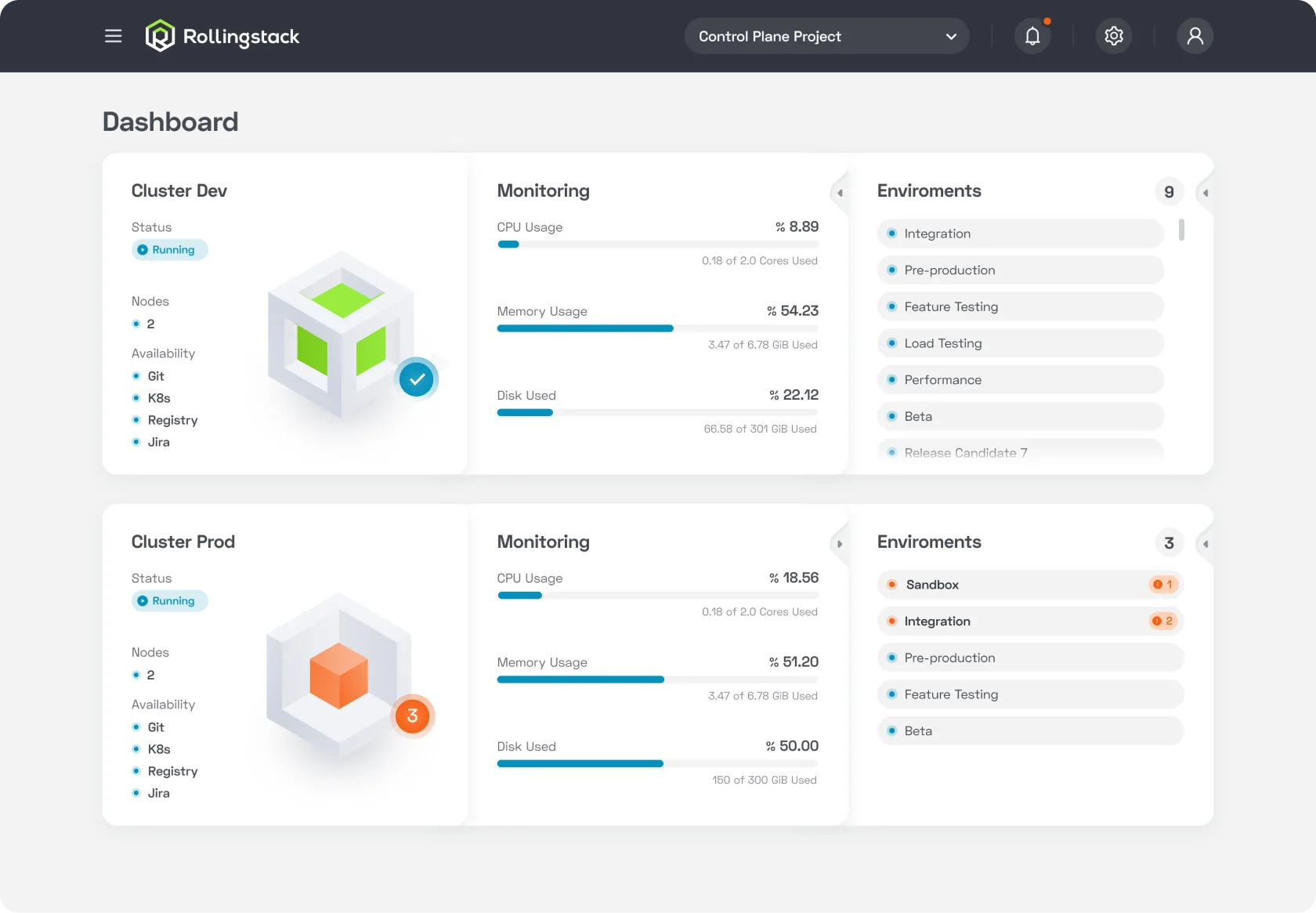
Dashboard
Dashboard screenDashboard screen
Navigation menu
Navigation menu
Alerts
Alerts screenAlerts screen
Cluster Page
Cluster pageCluster pageCluster page detailsCluster page details
Create New Environment
Create new environment
Environment Page
Environment pageEnvironment page
Advanced Install
Advanced install
Create New Microservice
Create new microserviceCreate new microserviceCreate new microservice
Microservice Page
Microservice page